
Compress Images to 40KB
Compress image to 40KB online. Upload images, click compress, and download instantly.
Drop images here or click to upload
Supports: PNG, JPEG, WebP
Note: All image compression happens entirely in your browser. We do not upload or store your images anywhere.
Who actually needs 40KB images?
You’re sitting at a cyber café in Lahore, finally filling out your Rozee.pk profile after months of delay. Everything’s going fine until you hit the profile photo upload it rejects your file with a vague “file size too large” error. Your photo is 1.2MB. You need it under 50KB. This is the exact situation where compressing to 40KB saves the day and honestly, saves your job application too.
40KB is the sweet spot for professional profile photos on Pakistani job portals. It’s small enough to pass almost every upload restriction you’ll encounter on local platforms, but large enough to keep your face looking recognizable and professional. At this size, a well-lit headshot still holds up. Your collar, your expression, your eyes they all stay intact. It’s not the same as a high-resolution studio photo, but for a thumbnail on Rozee.pk or Mustakbil.com, nobody will notice the difference.
Freelancers in Pakistan especially need this. Whether you’re building your first Fiverr gig or refreshing your Upwork profile after landing a new skill, a small profile photo means your profile loads fast for international clients many of whom are on slower connections or mobile data abroad. A 40KB photo loads in milliseconds. That’s the kind of invisible advantage that adds up when clients are comparing ten profiles at once.
Real platforms and websites that require 40KB
| Platform | Max Allowed | Common Use | Country |
| Rozee.pk | 50KB (profile photo) | Job applications, CV profiles | Pakistan |
| Mustakbil.com | 50KB | Candidate profile photo | Pakistan |
| Jobz.pk | ~50KB | Resume & photo upload | Pakistan |
| LinkedIn (Pakistan users) | 8MB technically, but 40KB loads fastest on mobile | Professional headshot | Pakistan / Global |
| Fiverr (gig thumbnail) | Under 5MB, but small = faster loading | Freelance gig cover image | Global |
| Upwork profile photo | Recommended under 100KB — 40KB is ideal | Freelancer profile | Global |
| OLX Pakistan | ~100KB product images | Seller product listing photos | Pakistan |
| NADRA / Govt. forms | Often 30–50KB strict limit | Scanned documents, passport photos | Pakistan |
| HEC scholarship portals | 40–50KB photo upload | Student application forms | Pakistan |
| Federal/provincial job portals (FPSC, NTS) | 20–50KB | Application photo submissions | Pakistan |
What image quality looks like at 40KB
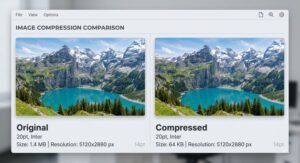
Let’s be real 40KB is not a lossless format. If your original photo is 4MB and you’re taking it down to 40KB, you’re losing detail. But how much you lose depends entirely on what’s in the frame.
What survives well at 40KB:
- Clean headshots with simple backgrounds (white wall, plain studio backdrop) these compress beautifully because there’s not much complex data to begin with
- Logos with flat colors a company logo or brand mark with 2–3 colors compresses down to 40KB without losing sharpness
- Screenshots and text-heavy images surprisingly, these hold up well because solid-color regions compress efficiently
What starts to degrade:
- Busy backgrounds (trees, crowded streets, bokeh blur) all that texture gets smudgy at 40KB
- Fine details like individual hair strands, fabric textures, or small printed text in photos
- Images with lots of gradients skin tones can look slightly washed or patchy if the original quality was already low
The honest truth for profile photos: A well-lit, front-facing headshot at 40KB looks perfectly professional in a 200×200px thumbnail. But if you zoom in on it? Yeah, you’ll see compression. On job portals, nobody zooms in. You’re fine.
Tips to preserve quality:
- Start with the highest resolution original you have more data to compress = smarter compression = better result
- Crop tightly before compressing if it’s a headshot, remove empty space around you so more of the 40KB budget goes toward your face
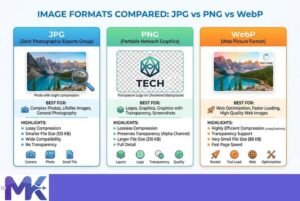
- JPG works best for photos at this size; PNG is better for logos and graphics
- Avoid compressing an already-compressed image each round of compression adds more artifacts
How to get the best result at 40KB
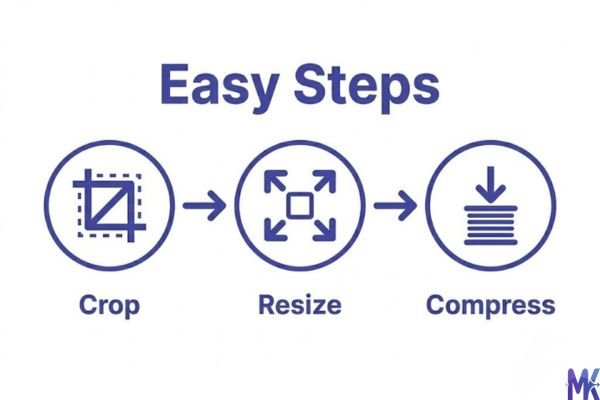
1. Crop before you compress. The single biggest quality improvement you can make is cropping your image before running compression. If you’re compressing a profile photo, zoom into just your face and shoulders. A tight crop means the tool isn’t “wasting” file budget on background pixels it spends all 40KB on what actually matters: you.
2. Use JPG for photos, PNG for logos. If you’re uploading a professional photo to Rozee.pk or Upwork, save as JPG before compressing. JPG handles human skin tones and natural lighting much better than PNG at low file sizes. But if you’re compressing a business logo or a graphic with sharp edges and flat colors, PNG will give you cleaner lines at 40KB.
3. Resize to the actual display size first. Most job portal profile photos are displayed at 150×150px or 200×200px. If your image is 3000×4000px, compressing it to 40KB forces the algorithm to destroy a lot of data. Instead, resize to 400×400px or 600×600px first then compress. Same 40KB, much better output.
4. Watch your background complexity. A blurry cityscape or floral wallpaper behind you in a headshot will absolutely destroy quality at 40KB. If you have a messy background, try using a simple editing tool to blur it more aggressively or replace it with a solid color before compressing. Plain backgrounds compress down to almost nothing, which frees up quality budget for your face.
5. If you’re doing multiple images like gig thumbnails or product photos for OLX you can upload them all at once and compress in bulk with a single click, instead of going one by one. Saves a lot of time when you’re prepping a full freelance profile or listing multiple items.
6. Check the output before uploading. After compressing, zoom in on your photo at 100% size. If it looks acceptable at that zoom, it’ll look great on a portal where it’s displayed small. The test isn’t “does it look HD” the test is “does my face look clear and professional in a small box.”
40KB vs 30KB vs 50KB – Which to choose?
| 30KB | 40KB | 50KB | |
| Best for | Govt portals with strict limits, FPSC/NTS applications | Job portals, freelance profiles, OLX listings | LinkedIn, Upwork, platforms with slightly looser limits |
| Photo quality | Noticeably compressed, serviceable for thumbnails | Good clarity for professional headshots | Cleaner detail, more forgiving on complex backgrounds |
| Logo quality | Acceptable for flat logos | Great for most logos and graphics | Excellent — nearly lossless for flat designs |
| Upload pass rate | Passes nearly every Pakistani portal | Passes 95%+ of platforms | May fail if limit is exactly 40KB or 30KB |
| File accepted by | NADRA forms, HEC, FPSC, NTS | Rozee.pk, Mustakbil, Fiverr, Upwork | LinkedIn, Behance, some international platforms |
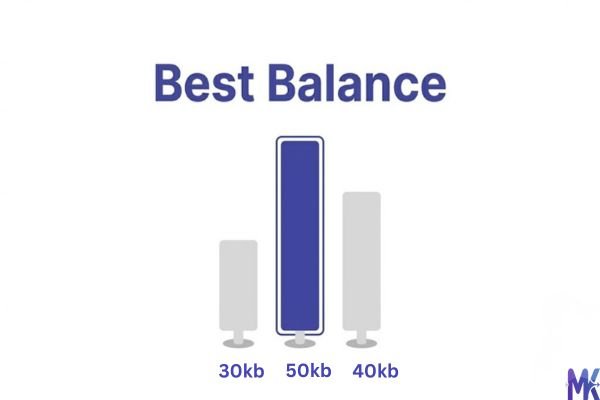
When to pick 30KB: You’re filling a government form NTS test registration, FPSC application, MDCAT or ECAT photo upload and the portal explicitly says 30KB or less. Don’t push it.
When to pick 40KB: This is your general-purpose size. Freelancer profile, job portal photo, OLX seller listing, Fiverr profile 40KB handles all of these confidently.
When to pick 50KB: You have a little extra room (the portal allows 50KB or 100KB) and you want slightly sharper output. If quality matters more than saving a few KB, go up to 50KB.
Common mistakes people make at 40KB
Mistake 1: Compressing an already-small image down to 40KB. If your photo is already 55KB, trying to force it to exactly 40KB will destroy quality unnecessarily. The difference between 55KB and 40KB on a portal that allows 50KB is zero just upload the 55KB file. Use compression only when the file is genuinely too large to upload.
Solution: Check the portal’s actual limit first. Only compress if you’re above it.
Mistake 2: Starting with a low-resolution selfie. A lot of job seekers in Pakistan take a quick selfie, crop it, and then try to compress it to 40KB. But if the original is already blurry or dark, compressing it makes the artifacts worse, not better. You end up with a muddy, low-quality photo that makes a bad first impression.
Solution: Take the photo in good lighting, ideally outdoors or near a window. Even a phone camera in good light produces a clear enough image that survives 40KB compression well.
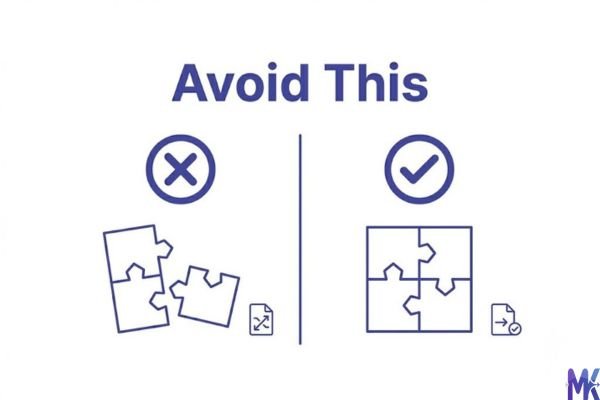
Mistake 3: Uploading a PNG photo when JPG is the better choice. PNG files of photos are typically 3–5x larger than JPG at the same quality. When you compress a PNG photo to 40KB, the algorithm has to work much harder, and you lose more detail than you would with a JPG source.
Solution: If your photo is currently a PNG, convert it to JPG first. Most phones and image editors can do this in one step. Then compress the JPG to 40KB — you’ll be surprised at how much better it looks.
Mistake 4: Not checking the output before submitting an official application. You compress the image, it says 40KB, you upload it to an FPSC or HEC portal without looking at it. Later you realize your face is unrecognizable or the photo looks distorted. On government portals, a rejected or low-quality photo can mean your application gets flagged.
Solution: Always preview the compressed image at full size before uploading to any official form. Ten seconds of checking saves a potential headache.
Latest from Our Blog
Explore image compressor guides, photo resizer tutorials, kilobyte reducer tips, and online image converter tools.
- How Image Compression Works (Beginner Guide + Free Online Tools)
- JPG vs PNG vs WebP — Which Image Format Should You Use?
- How to Compress Images for Government Forms (Free & Easy Guide)

- Reduce Passport Photo Size — Free Online Guide (Step-by-Step)

- Compress Images for Job Application — Free Step-by-Step Guide

- Reduce Image Size Without Losing Quality — Complete Free Guide
- Why Compress Images for Web — The Complete Guide

- Image Compression for Email Attachments — Complete Free Guide

- Bulk Image Compression — Complete Free Guide

Frequently Asked Questions
Most NTS and FPSC online registration portals set a limit between 20KB and 50KB for the candidate photograph. 40KB typically falls within the accepted range. However, always double-check the instructions on the specific form you’re filling some older government portals have a stricter 20KB or 30KB cap. If in doubt, compress to 30KB to be safe.
For most headshots, yes — if the original photo was well-lit and decently sharp. At 40KB, a clean front-facing photo with a plain background retains enough detail to look professional in a thumbnail. If your original is a blurry selfie in dim light, the compressed version will look worse. The quality of the source photo matters more than the target size.
Yes, completely. 40KB is under 50KB, so it will pass Rozee.pk’s upload validation. In fact, 40KB is one of the cleanest sizes for Rozee.pk profiles — it loads fast, passes the limit, and still gives you a clear headshot. Just make sure your image dimensions are at least 200×200px so it doesn’t look pixelated in the profile thumbnail.
It does, indirectly. Fiverr doesn’t reject photos over 40KB, but a smaller profile photo means your gig page loads faster, especially for international clients viewing your profile on mobile or slower connections. A 40KB photo loads nearly instantly everywhere in the world. It’s a small thing that contributes to a smoother first impression — and on Fiverr, first impressions convert.
For document scans (like CNIC, degree certificates, or domicile), 40KB can work if the document is small in frame and the text is large. But if there’s fine printed text — like a matriculation certificate with detailed grades — compressing to 40KB may make that text blurry or unreadable. In those cases, try 80KB–100KB if the portal allows, or make sure you scan at high resolution before compressing.
Upwork doesn’t technically restrict photos to 40KB, but many Pakistani freelancers report that uploading a large, high-res photo sometimes causes display issues or slow rendering. A clean 40KB JPG headshot — properly cropped to square, well-lit, plain background — actually tends to display better than an oversized photo that Upwork’s system resamples on its own. Compress to 40KB and you control the quality output yourself.
Yes, and it’s significant. A DSLR or high-quality mirrorless photo at 10MB+ has much more visual data to start with. When you compress it to 40KB, the algorithm can be selective — it preserves the most important details and discards the fine texture. A selfie that’s already 800KB with compression artifacts? There’s less quality “in reserve” to work with. The result at 40KB will be noticeably muddier. If you have access to a proper camera photo even borrowed from a friend or taken at a local photography studio it’s worth using for your professional profiles.