
Compress Images to 10Kb
Compress image to 10KB online. Upload images, click compress, and download instantly.
Drop images here or click to upload
Supports: PNG, JPEG, WebP
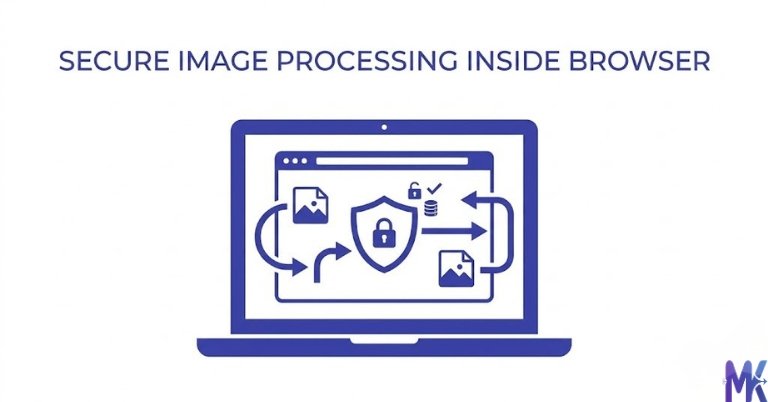
Note: All image compression happens entirely in your browser. We do not upload or store your images anywhere.
Who actually needs 10KB images?
You’re sitting at a cyber café in Lahore, trying to submit your PPSC application before the deadline closes at midnight. You’ve uploaded your photo three times and it keeps saying “file size exceeds limit.” The form says maximum 10KB and your phone camera photo is sitting at 2.3MB. Sound familiar? This is one of the most frustrating moments for thousands of Pakistani job applicants every year, and it happens more often than it should.
The honest truth is that 10KB is an extremely small file size for any image. It’s roughly the size of a short text message. The only reason you’d ever need an image this small is when a government portal, testing service, or official form explicitly demands it and in Pakistan, that’s more common than you’d think. PPSC, FPSC, NTS, and similar platforms have been using these tight file size limits for years, mainly because their servers and upload systems were built when internet speeds were slow and storage was expensive. The rules haven’t caught up with the technology.
If you’re a fresh graduate applying for a federal government position through FPSC, or a student registering for HEC scholarships, or a parent submitting their child’s FBISE form chances are you’ve hit this 10KB wall at least once. This page is written specifically for you. We’ll show you exactly what works, what doesn’t, and how to get through these forms without losing your mind.

Real platforms and websites that require 10KB
Here are the major Pakistani platforms where users have reported 10KB image requirements or very close limits:
| Platform | Max Allowed | Common Use | Country |
| PPSC (Punjab Public Service Commission) | 10KB (some forms 20KB) | Passport-style applicant photo | Pakistan |
| FPSC (Federal Public Service Commission) | 10KB | Candidate photograph for CSS/PAS exams | Pakistan |
| NTS (National Testing Service) | 10–20KB | Registration photo for NAT, GAT, entry tests | Pakistan |
| HEC Pakistan Scholarship Portal | 10–15KB | Student photo for Undergraduate & need-based scholarships | Pakistan |
| FBISE (Federal Board of Intermediate & Secondary Education) | 10KB | Student photo on matric/inter registration forms | Pakistan |
| NADRA Pak Identity App | ~15KB recommended | Face photo for digital ID verification | Pakistan |
| Ehsaas Program Portal | 10KB | Beneficiary photo during registration | Pakistan |
| Punjab Rozgar Scheme | 10KB | Applicant photograph | Pakistan |
One thing worth knowing: Many of these portals say 10KB in their guidelines but their actual upload validator accepts up to 15KB without throwing an error. This is extremely common with older government systems where the front-end rules and back-end validation don’t match. So before you spend an hour trying to squeeze your image down to exactly 10KB just try uploading your current file and read the error message carefully. If it passes at 12KB or 14KB, you’ve saved yourself a lot of effort.
What image quality looks like at 10KB
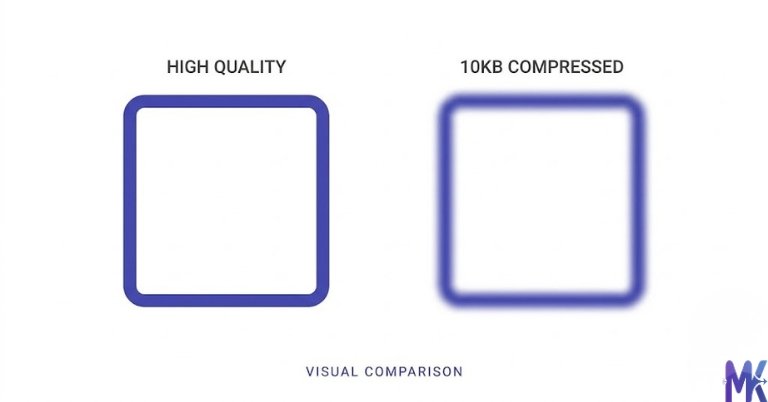
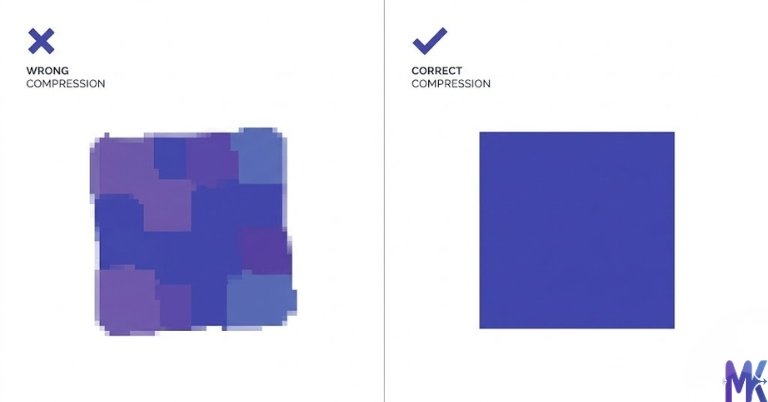
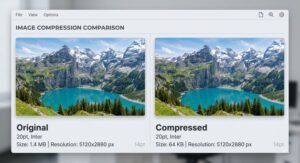
Let’s be completely upfront with you: 10KB is a very aggressive compression target. You will see quality loss. The goal isn’t to make a beautiful image it’s to make an acceptable one that passes the portal’s upload requirement and is still clearly identifiable as you.
What survives well at 10KB:
- A simple, front-facing face photo against a plain white or light background
- Images that are already small in dimensions (200×230px is the sweet spot for passport-style photos)
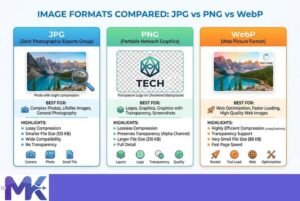
- JPG format it handles compression far better than PNG at this size
- Photos with even lighting and no busy background detail
What degrades badly:
- Anything with a detailed background (trees, furniture, patterns — these eat up bytes fast)
- Text in images sharp edges on letters will blur noticeably
- PNG files PNG compression is lossless and can’t reach 10KB without destroying the image; always convert to JPG first
- Large dimension images a 1200×1600px photo forced into 10KB will look terrible; resize before compressing
- Selfies taken in poor lighting JPEG compression amplifies noise and grain in dark areas
The honest tradeoff: A properly prepared 200×230px face photo with a clean background can look perfectly presentable at 10KB. It won’t be crisp, but it will be clear enough for identity verification purposes. If you’re submitting a full document scan or a photo with text, 10KB is going to hurt you may want to check if the portal allows separate file uploads for different items.
Quick tip on format: If your image is a PNG, convert it to JPG before compressing. A PNG at 10KB is almost always worse-looking than a JPG at 10KB because of how each format handles compression mathematics.
How to get the best result at 10KB
Getting the best possible image at 10KB isn’t about luck it’s about preparing the image before you compress it. Here’s what actually works:
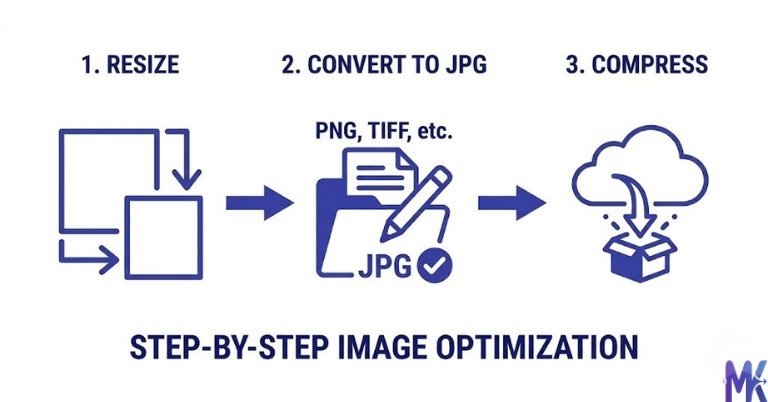
1. Resize your image to 200×230 pixels first This is the single most effective thing you can do. Most Pakistani government forms want a passport-style photo, and 200×230px is the standard dimension. A smaller canvas means less data to compress, which means better quality at the same file size. If you feed a 4000×3000px photo into a 10KB compressor, the result will look awful. Resize it to something like 200–300px wide first, then compress.
2. Use a plain, solid-colored background Busy backgrounds are the enemy of small file sizes. Every pixel of a complex background costs bytes. If your photo has a patterned wallpaper or outdoor scenery behind you, the compression will sacrifice your face quality to handle the background. A plain white or light blue background compresses cleanly and leaves more “space” in the 10KB budget for your face.
3. Compress as JPG, not PNG If someone gave you a PNG file maybe a scanned copy convert it to JPG before targeting 10KB. PNG tries to preserve every pixel exactly, which is great for logos but terrible when you need a tiny file size. JPG’s lossy compression is exactly what you need here.
4. Try 10KB, then try 12KB if the portal allows As mentioned above, many portals advertise 10KB but accept 13–15KB in practice. If your compressed image looks too degraded at 10KB, try 12KB or 13KB and attempt the upload. You’ll often be surprised. This tool lets you set your exact target, so you can iterate quickly and if you have multiple photos to prepare (say, for different family members applying to the same Ehsaas registration), The bulk compression feature lets you upload multiple images at once, compress them to 10KB in a single click, and download them all together, so you don’t have to process each one individually.
5. Good lighting beats everything If you have any control over the source photo, take it near a window in daylight. Even lighting with no harsh shadows means the JPEG compression algorithm has less “noise” to deal with, and your face will retain more detail. A photo taken in a dark room with a phone flash will compress poorly no matter what tool you use.
6. Don’t compress an already-compressed image If you downloaded your photo from WhatsApp or email, it’s already been compressed once. Running it through another round of compression stacks the quality loss. Try to start from the original photo from your phone’s gallery if at all possible.
10KB vs 20KB — Which to choose?
10KB is the smallest target size offered here, and it exists for one reason: some Pakistani government portals demand it. Here’s how to think about which size to pick:
| Size | Best For | Quality | Portals That Need It |
| 10KB | Passport photos for government forms, NTS/PPSC/FPSC applications | Low — visible compression, acceptable for identity photos | PPSC, FPSC, NTS, FBISE, Ehsaas |
| 20KB | Profile photos, slightly larger government uploads, HEC forms | Better — face detail is noticeably clearer | NTS (some forms), HEC, NADRA app |
| Larger sizes | Social profiles, blog images, product photos | Good to excellent | Not government-restricted |
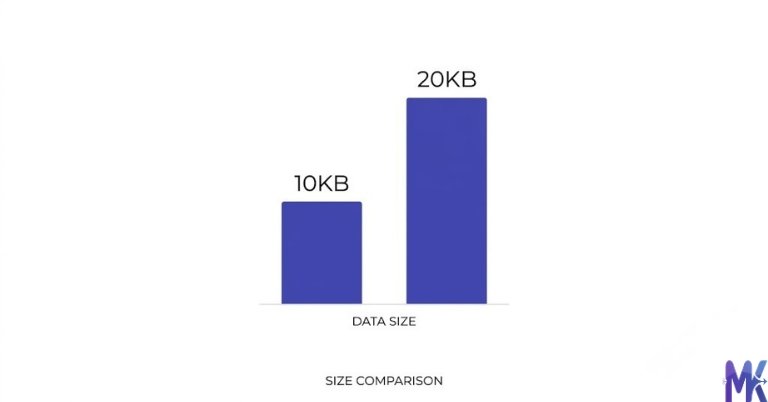
When to pick 10KB: Only when the form explicitly says 10KB and your upload fails at anything larger. Try 15KB or 20KB first if the form doesn’t immediately reject it.
When to pick 20KB: Whenever the platform gives you any flexibility at all. 20KB gives the compression algorithm roughly double the space, and the quality difference is significant especially around the edges of faces and fine details. For HEC scholarship applications or NADRA-related digital submissions, 20KB often works and looks much better.
The practical advice: Don’t pick 10KB just because the form says 10KB. Test with 15KB or 20KB first. Only compress all the way down to 10KB if the portal actually rejects your file. You’ll save yourself the visual quality hit when it isn’t necessary.
Common mistakes people make at 10KB
Mistake 1: Compressing a large-dimension image directly This is the most common one. Someone takes a photo with their phone (4000×3000px, 3MB), opens this tool, sets the target to 10KB, and wonders why the result looks like a blurry nightmare. The tool has to discard an enormous amount of data to hit 10KB from that starting point. The fix: resize your image to approximately 200×230px or similar small dimensions before compressing. Many free tools even Paint on Windows can resize an image. Resize first, compress second.
Mistake 2: Using PNG format Someone scans their photo at a local print shop and gets a PNG file. They upload that PNG and try to hit 10KB. PNG files at 10KB are almost always worse than their JPG equivalents because PNG compression doesn’t work the same way. The fix: save or convert your image as JPG/JPEG before targeting 10KB. If you only have a PNG, compress it to JPG first using any online converter, then bring it into this tool.
Mistake 3: Assuming 10KB is the actual hard limit Many Pakistani government portals inherit their upload limits from old system configurations. The “10KB maximum” warning on the PPSC or NTS form may be from documentation written years ago, while the actual server validator accepts 15KB or 20KB. People spend hours trying to squeeze images to exactly 10KB when 14KB would have worked fine. The fix: try uploading your image first. Read the error. If it says “file too large,” then compress. Don’t pre-compress beyond what you need.
Mistake 4: Compressing the same image multiple times If your first attempt at 10KB looks bad, some people re-compress the already-compressed result trying to improve it. Every round of lossy JPEG compression stacks damage on damage. The fix: always go back to your original, uncompressed image and re-compress from scratch with different settings. Never chain compressions together.
Latest from Our Blog
Explore image compressor guides, photo resizer tutorials, kilobyte reducer tips, and online image converter tools.
- How Image Compression Works (Beginner Guide + Free Online Tools)
- JPG vs PNG vs WebP — Which Image Format Should You Use?
- How to Compress Images for Government Forms (Free & Easy Guide)

- Reduce Passport Photo Size — Free Online Guide (Step-by-Step)

- Compress Images for Job Application — Free Step-by-Step Guide

- Reduce Image Size Without Losing Quality — Complete Free Guide
Frequently Asked Questions
First, check that you’ve resized the image to small dimensions (200×230px is ideal for PPSC passport photos) before compressing. If the image is still coming out blurry, try retaking the photo with better lighting and a plain white wall behind you. Also remember — PPSC’s system has historically accepted files slightly over 10KB in practice. Try uploading a 12–13KB version and see if the form accepts it before going all the way down to 10KB.
Yes, absolutely. NTS requires a recent passport-size photograph and their upload limit is usually 10–20KB depending on the test and form. Use this tool, set your target to 10KB, and make sure the image is a front-facing, clear face photo against a light background. Many NTS applicants have successfully submitted photos processed through browser-based compression tools like this one.
For FBISE (Federal Board) student registration, the photo is used for identity purposes on your hall ticket and result card it doesn’t need to be high resolution, just clearly recognizable. A 200×230px JPG compressed to 10KB will pass this bar comfortably. The face should be clearly visible even at this compression level if your source photo has decent lighting and a clean background.
Yes. The HEC scholarship portal can be finicky with file sizes. This tool lets you target exactly 10KB. However, do try submitting at 15KB first HEC’s system has been updated multiple times and many students report that 15–20KB uploads go through without issue. If it rejects your file, come back and compress to 10KB.
No. The 10KB limit is purely about file size it has nothing to do with the content of your application or how your photo is evaluated. As long as your face is clearly visible, front-facing, and the background is plain (as required by most Pakistani government forms), a 10KB photo will serve its purpose. Admission and selection committees are not judging photo quality they’re confirming your identity.
You can, but the result will likely look poor. PNG files handle aggressive compression very differently from JPGs. What we recommend: first convert the PNG to JPG using any free image converter (even Google Drive or Paint on Windows can do this), and then upload the JPG version to this tool and compress to 10KB. The final result will look noticeably better than compressing the PNG directly.
This is a completely fair concern, especially when submitting photos for sensitive government forms. The good news: this tool processes everything entirely in your browser. Your image never leaves your device there’s no server upload, no storage, no account required. The compression happens locally using your browser’s processing power. Once you close the tab, nothing is retained. This makes it safe to use even for identity photos intended for NADRA, PPSC, or Ehsaas submissions.