
Compress Images to 70KB
Compress image to 70KB online. Upload images, click compress, and download instantly.
Drop images here or click to upload
Supports: PNG, JPEG, WebP
Note: All image compression happens entirely in your browser. We do not upload or store your images anywhere.
Who Actually Needs 70KB Images?
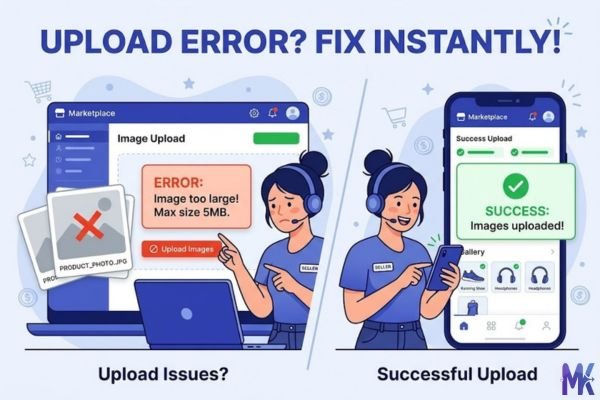
You’re a Meesho reseller, you’ve clicked 12 product photos on your phone, and now the seller portal is throwing errors because each image is 3–4MB. Sound familiar? This is exactly where 70KB hits the sweet spot. It’s small enough to upload without drama, but large enough that your kurta or home décor item still looks presentable to buyers scrolling through their feeds.
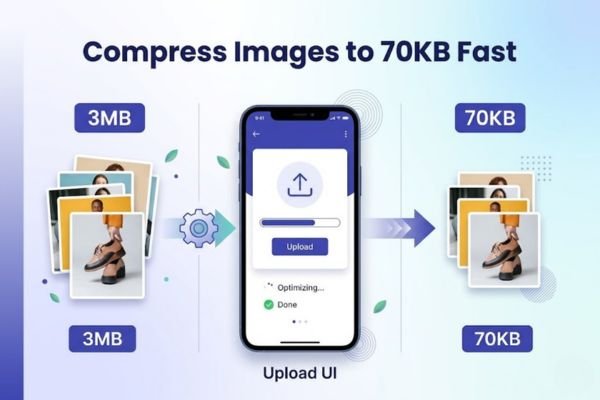
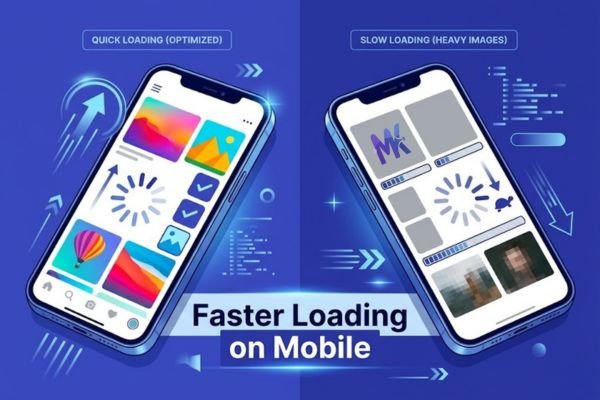
Or maybe you run a small WordPress blog in Hindi or Tamil hosted on a budget shared server in India and your pages take forever to load because your post thumbnails are bloated. A 70KB image loads almost instantly, even for your readers in Nagpur or Coimbatore on a spotty 4G connection. India is a mobile-first country, and when over 700 million people browse on phones, image size directly affects whether someone stays on your page or bounces.
Then there’s the everyday stuff: filling out a profile on Naukri.com, uploading a property photo to MagicBricks, or listing your shop on Justdial. Most of these portals have strict file size limits, and 70KB comfortably fits within them without making your photo look like it was taken in 2005. It’s genuinely one of the most practically useful compression targets for Indian internet users today.
Real Platforms and Websites That Require 70KB
| Platform | Max Allowed Size | Common Use | Country |
| Naukri.com | 50–100KB (profile photo) | Job seeker profile picture | India |
| MagicBricks | ~100KB per image | Property listing photos | India |
| 99acres | ~100KB per image | Apartment/plot listing photos | India |
| Meesho Seller Portal | Under 100KB recommended | Product thumbnail images | India |
| Flipkart Seller Hub | 100KB max for thumbnails | Product catalog images | India |
| IndiaMART | 100KB per product image | B2B product catalog | India |
| Justdial Business | ~80–100KB | Business storefront photo | India |
| Blogger.com | No hard limit, but 70KB loads faster | Regional language blog posts | India |
| WordPress (shared hosting) | No hard limit, but affects page speed | Blog thumbnails, featured images | India |
Note: Platform limits occasionally change always verify on the official seller/portal dashboard before uploading.
What Image Quality Looks Like at 70KB
Let’s be honest with you here, because vague reassurances don’t help anyone.
What holds up well at 70KB: A standard product photo say, a printed saree laid flat, a mobile phone on a white background, or a passport-size headshot will look perfectly fine at 70KB, especially on a 5–6 inch mobile screen. Solid colors, simple backgrounds, and images without too much fine detail compress beautifully. For most social media thumbnails and portal listings, nobody scrolling on their phone will notice any difference.
What starts to show strain: Images with lots of fine texture intricate embroidery work, dense forest landscapes, detailed architectural photos will show some softness if the original was a high-resolution DSLR shot. You might see very slight blurring at the edges of detailed patterns, especially if someone pinches and zooms on a desktop. At 70KB, JPEG compression leaves a small but real fingerprint on highly detailed areas.
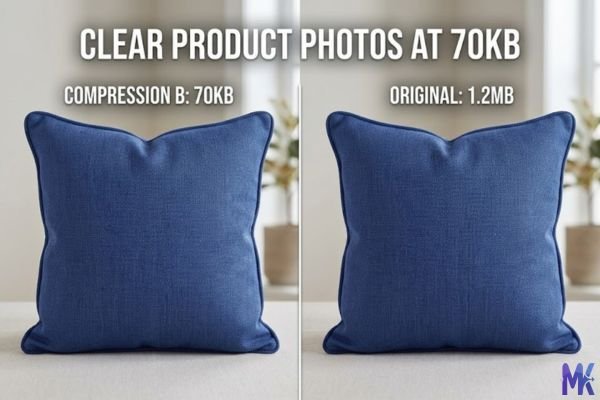
The practical truth: For mobile-first Indian audiences which is most of your audience 70KB images are genuinely solid. The difference between a 70KB and a 200KB image is almost invisible on a Redmi or Realme screen. Where it does matter is on large desktop monitors or printed materials don’t use 70KB images for printing or high-res displays.
One tip that makes a big difference: If your original image has a busy or dark background, crop it or simplify it before compressing. The more information the compressor has to discard, the more it shows. A clean background gives the algorithm more room to preserve what matters your product or subject.
How to Get the Best Result at 70KB
These aren’t generic steps. These are specific things that actually matter at this exact file size.
1. Start with the right original dimensions Don’t feed a 4000×3000px photo to hit 70KB the compressor has to work brutally hard and quality suffers. Resize your image to roughly 800×600px or 1000×750px before compressing. At 70KB, that resolution looks sharp. At 4000px width, it’ll look muddy because too much pixel data is being squeezed out.
2. Use JPG for product and portrait shots JPG handles photographic content far better than PNG at low file sizes. A PNG at 70KB will look noticeably worse than a JPG at the same size for photos. Save PNG for logos, screenshots, and images with text overlays those compress better without losing sharpness.
3. Compress in WebP when the platform accepts it WebP gives you significantly better quality at 70KB compared to JPG. If you’re uploading to your own website or a platform that supports WebP (many modern Indian hosting setups do), choose WebP output. Same file size, visibly better result.
4. Don’t compress an already-compressed image If you downloaded an image from WhatsApp or another website and then try to compress it again to 70KB, you’re compressing something that’s already lost data. Always start from your original camera photo or design export. Re-compressing compounds quality loss.
5. Check on mobile before publishing After compression, open the image on your phone the same device your buyers or readers are likely using. What looks slightly soft on your laptop monitor often looks perfectly sharp on a mobile screen. Don’t reject a 70KB image just because the desktop preview looks slightly less crisp.
6. Batch your uploads smartly If you have 10–15 product photos to compress common for Flipkart or IndiaMART catalog updates you don’t need to do them one by one. This tool supports bulk compression, so you can upload multiple images and compress them all to 70KB in one go, saving you a significant amount of time.
70KB vs 60KB vs 80KB — Which One Should You Choose?
| 60KB | 70KB | 80KB | |
| File Size | Smallest | Middle ground | Slightly larger |
| Visual Quality | Noticeable compression on detailed images | Good quality, mobile-safe | Near-original for most images |
| Load Speed | Fastest | Fast | Fast (marginal difference from 70KB) |
| Best For | Thumbnails, avatars, icons | Product listings, blog images, portal uploads | Hero images, property photos, portfolio |
| Risk | Quality loss on complex images | Balanced — hard to go wrong | May still be rejected by strict 70KB portals |
| Indian Platform Fit | Naukri profile pic, small thumbnails | Meesho, 99acres, IndiaMART, Justdial | MagicBricks hero shot, WordPress featured image |
When to pick 60KB: You only need this if the platform has a hard cap below 70KB, or if you’re using very simple images solid color backgrounds, flat icons, text screenshots where the quality loss is minimal.
When to stick with 70KB: This is your everyday workhorse size. If you’re unsure which size to pick for an Indian portal or marketplace, 70KB is almost always a safe bet. It fits within most limits and looks good enough that no customer or recruiter will complain.
When to go 80KB: If the platform allows it and your image is complex — a multi-room apartment interior, a detailed jewellery close-up, a group photo give yourself that extra 10KB. The quality improvement from 70KB to 80KB is actually more noticeable than the jump from 80KB to 100KB.
Common Mistakes People Make at 70KB
Mistake 1: Uploading a screenshot or WhatsApp-forwarded image WhatsApp compresses images aggressively before sending them. When you receive a product photo on WhatsApp and then compress it again to 70KB, you’re layering compression on top of compression. The result looks pixelated and flat. Always ask for the original file, or retake the photo yourself. Your Meesho listings will look noticeably more professional for it.
Mistake 2: Using PNG for product photos Some sellers use PNG because they think it’s “better quality.” For logos and graphics, that’s true. But for photos, PNG at 70KB will look significantly worse than JPG at 70KB because PNG isn’t designed for photographic compression. Switch to JPG and you’ll immediately see a better result at the same file size.
Mistake 3: Compressing a 70KB target from a badly lit photo Compression can’t fix a dark, blurry, or badly lit photo it can only preserve what’s already there. If your photo has noise (grainy look from low light), that noise gets preserved and sometimes amplified at lower file sizes. Take the photo in good natural light near a window before you compress. This single change will improve your listings more than any tool setting.
Mistake 4: Not checking the actual file size after download Some people compress, download, and upload to the portal only to get rejected because the output was 73KB, not under 70KB. This happens when the target size is close to the limit. After downloading your compressed image, right-click and check the actual file size before uploading to Naukri, Flipkart, or whichever platform. An extra 10 seconds saves a frustrating upload error.
Latest from Our Blog
Explore image compressor guides, photo resizer tutorials, kilobyte reducer tips, and online image converter tools.
- How Image Compression Works (Beginner Guide + Free Online Tools)
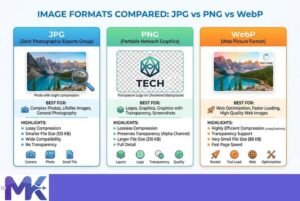
- JPG vs PNG vs WebP — Which Image Format Should You Use?
- How to Compress Images for Government Forms (Free & Easy Guide)

- Reduce Passport Photo Size — Free Online Guide (Step-by-Step)

- Compress Images for Job Application — Free Step-by-Step Guide

- Reduce Image Size Without Losing Quality — Complete Free Guide
- Why Compress Images for Web — The Complete Guide

- Image Compression for Email Attachments — Complete Free Guide

- Bulk Image Compression — Complete Free Guide

- Image Size Requirements for Indian Government Websites (2026 Complete Guide)

- Best Image Formats for Web Performance (2026 Guide for Fast Websites)

Frequently Asked Questions
Not in any negative way. In fact, Google PageSpeed Insights actively rewards smaller image sizes, and Indian WordPress blogs on shared hosting often fail Core Web Vitals because of oversized images. A 70KB image will load faster, improve your LCP (Largest Contentful Paint) score, and actually help your SEO. Google can still index and understand your image — alt text matters far more for image SEO than file size.
Yes, and this is actually a smart workflow. Compress once to 70KB, and that file works for both platforms. IndiaMART and Meesho both accept images in this range for product catalog listings. Just make sure the image is a JPG and roughly 800px wide — that combination performs consistently across both portals.
Naukri.com typically accepts profile photos up to 100KB, and some sections allow up to 50KB. A 70KB compressed photo should upload without issues in most Naukri fields. If it’s still being rejected, check the dimension requirement too — Naukri often specifies a minimum pixel dimension alongside the file size limit. Make sure your photo is at least 200×200px.
Not if you start with a well-lit, in-focus original and resize it to around 800–1000px wide before compressing. Flipkart displays product thumbnails at relatively small sizes, and 70KB is plenty for that. Where you might see softness is in the zoom feature — Flipkart allows customers to zoom in, and at that point a 70KB image can show compression artifacts on detailed products like printed fabric or fine jewellery. For zoom-heavy categories, consider 80KB instead.
It depends on the photo. For exterior shots, common area photos, or kitchen/bathroom images where buyers just need a general impression, 70KB is absolutely fine. For a premium villa or large apartment where buyers are scrutinising room details before scheduling a visit, consider 80KB for your hero image. Interior photos with lots of furniture, flooring patterns, and lighting detail benefit from the extra headroom.
Yes, everything happens in your browser. No file is ever sent to any server, so your internet speed doesn’t affect compression at all. Whether you’re in Mumbai on fiber or in a tier-3 city on patchy 4G, the compression is done entirely on your device. Your internet is only used when you finally upload the compressed image to the portal.
The starting quality of the photo matters more than the phone brand. An iPhone photo tends to be larger (higher resolution, less initial compression), which actually gives the compressor more to work with and can yield a slightly better 70KB result. A budget Android phone often captures at lower resolution with its own compression, so by the time you hit 70KB, there’s less quality left to preserve. In both cases, shoot in good light and avoid digital zoom — that’s the real leveller.