
Compress Images to 150KB
Compress image to 150KB online. Upload images, click compress, and download instantly.
Drop images here or click to upload
Supports: PNG, JPEG, WebP
Note: All image compression happens entirely in your browser. We do not upload or store your images anywhere.
Who actually needs 150KB images?
You’re setting up your Etsy shop and you’ve spent hours getting that perfect product photo great lighting, clean background, sharp detail on the handmade stitching. The last thing you want is for that photo to load slowly and cost you a sale. That’s where 150KB hits a sweet spot. It’s lean enough to load fast, but generous enough to keep your product looking exactly the way it should.
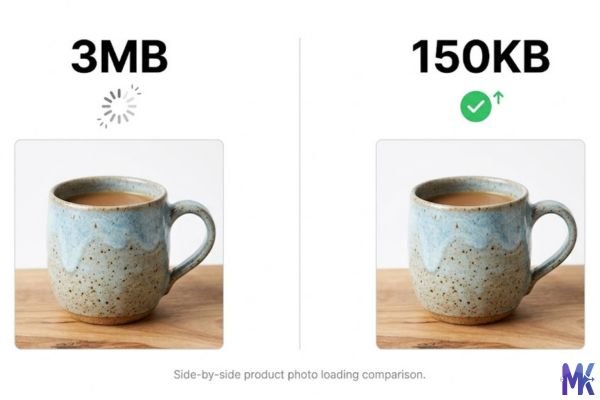
For US-based small business owners, 150KB is genuinely one of the most useful image sizes in your toolkit. If you’re selling on Etsy, running a Squarespace portfolio, listing a property on Zillow, or managing a Wix store, you’re dealing with platforms that reward fast-loading pages and 150KB delivers speed without asking you to sacrifice the crisp, professional look your customers expect.
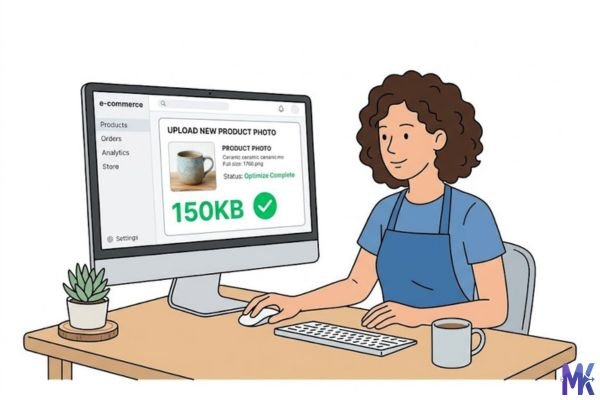
Think about a real estate agent uploading kitchen photos to Realtor.com, or an eBay seller who needs secondary product shots to show different angles. In both cases, you want clarity countertop textures, cabinet colors, item dimensions all visible. 150KB gives you that. It’s not a “squeeze everything and hope” situation. It’s a confident, deliberate compression level that holds up well for most e-commerce and visual marketing use cases.
Real platforms and websites that require 150KB
| Platform | Max Allowed | Common Use | Country |
| Etsy | 1MB per listing image | Product photos (150KB is optimal for speed) | United States |
| Amazon Seller Central | 10MB technical limit | Secondary product shot angles | United States |
| eBay Listings | 7MB per image | Product detail and condition photos | United States |
| Zillow | No hard limit | Property interior and exterior photos | United States |
| Realtor.com | No hard limit | Real estate listing photos | United States |
| Squarespace | 20MB max | Portfolio and storefront images | United States |
| BigCommerce | 8MB | Product category and detail images | United States |
| Wix eCommerce | 25MB max | Product pages, hero images | United States |
| US Gov / Agency Portals | Often 200KB–500KB | Form attachments, ID photos | United States |
Most of these platforms technically allow much larger files but platform allowance and what actually performs well are two different things. Etsy is a perfect example. With 7 million active sellers in the US, the stores that load fast tend to convert better. A visitor browsing on mobile with average LTE isn’t going to wait. 150KB loads in under half a second on most connections, keeping that shopper from bouncing before they even see your product properly.
What image quality looks like at 150KB
Let’s be straight with you 150KB is actually quite good. Most people would be hard-pressed to spot a meaningful quality difference between a 150KB image and its 500KB original when both are displayed at typical e-commerce thumbnail or product photo sizes (usually 600×600 to 1200×1200 pixels).
Here’s what tends to hold up well at 150KB:
What survives nicely: Solid colors, product backgrounds (especially white or neutral), clear text in images, well-lit photography, clothing textures on fabric with good contrast, and product silhouettes. If your photo was taken with decent lighting and a clean background which most Etsy sellers and Amazon product photographers aim for it’ll compress to 150KB without obvious visual damage.
What can degrade a bit: Very fine detail on dark or busy backgrounds (think intricate jewelry against a patterned cloth), heavy noise in low-light photos, and gradients with subtle tonal shifts (like a sunset sky). If your original image already has compression artifacts or is blurry, those will become more visible at 150KB. The compression doesn’t fix problems it amplifies them slightly.
Honest tradeoff: JPEGs handle 150KB gracefully. PNGs with lots of transparency or flat color areas also compress well. WebP is the most efficient you can get genuinely impressive quality at 150KB in WebP format. If quality matters most, converting to WebP before or during compression gives you the best of both worlds.
How to get the best result at 150KB
1. Start with the highest quality original you have. This sounds obvious, but it matters more at 150KB than at, say, 500KB. The more detail your original captures, the more the compressor has to work with. A blurry photo compressed to 150KB looks like a blurry compressed photo. A sharp photo compressed to 150KB looks like a sharp photo.
2. Crop before you compress. If your product is centered in a 4000×3000 photo but only occupies the middle 800 pixels, you’re compressing a lot of wasted background. Crop tightly to your subject first. A cropped, focused image will look much better at 150KB than a wide shot with empty space.
3. Use a white or neutral background for product photos. White backgrounds are the most compression-friendly. They have almost no tonal variation, which means the compressor doesn’t have to “work hard” on them it can devote more of those 150KB to the actual product detail you want to show.
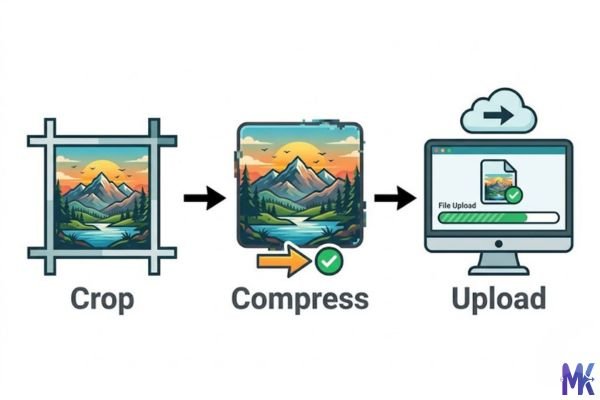
4. Choose the right format for your content. JPG is great for photographs. PNG is better for graphics with sharp lines, logos, or transparency. WebP is best overall for file efficiency. If you’re compressing for an Etsy listing or Squarespace portfolio and quality is the priority, try WebP first you’ll often get noticeably better sharpness at the same file size.
5. Try compressing multiple variations. If you have 10 product photos for a single listing, you don’t have to compress them one at a time. You can upload all of them at once and compress the full batch in a single step which is a real time-saver when you’re managing a busy shop.
6. Check the result at actual display size. After compressing, view your image at the size it’ll actually appear on the platform not zoomed in at 100%. An image that looks slightly soft at 200% zoom often looks completely fine at normal listing thumbnail size. Don’t over-reject images based on zoomed-in inspection.
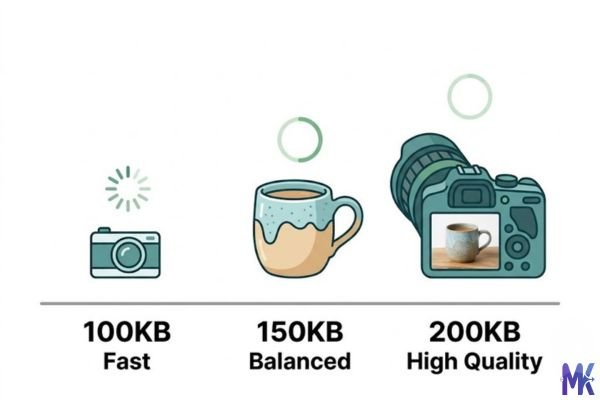
150KB vs 100KB vs 200KB – Which to choose?
| File Size | Quality Level | Best Use Case | Page Load Impact |
| 100KB | Good — slight quality compromise | Profile photos, blog thumbnails, form uploads | Fastest load |
| 150KB | Very good — near-transparent compression | E-commerce product photos, portfolios, real estate | Fast load |
| 200KB | Excellent — minimal compression visible | Hero images, high-res showcase photography | Moderate load |
Pick 100KB when you’re dealing with a platform that enforces a strict size cap, or when speed is your absolute priority and the image doesn’t need to carry a lot of fine detail think avatar photos, icon images, or background thumbnails that play a supporting role.
Pick 150KB when you’re uploading product listings to Etsy, eBay, or BigCommerce and you want images that look great on both desktop and mobile without slowing down your storefront. It’s also the right call for real estate photos on Zillow or Realtor.com, where buyers need to see room details clearly.
Pick 200KB when the image is the hero a full-width banner on your Squarespace homepage, a high-impact portfolio piece, or an Amazon main product image where that extra sharpness genuinely helps close the sale. Going to 200KB is worth it when visual quality directly influences a purchase decision.
For most Etsy sellers and small business owners, 150KB is the default to reach for. It sits right in the zone where quality and performance are both strong, without overthinking it.
Common mistakes people make at 150KB
Mistake 1: Compressing an already-compressed image. This is a quiet quality killer. If you’ve downloaded a product photo from a supplier, resized it, saved it as a JPEG, and then compress it to 150KB you’re compressing something that was already compressed. Every generation of JPEG compression adds artifacts. Whenever possible, compress from your original source file, not from a previously saved copy.
Fix: Always work from the highest-quality version of your original. If you only have a compressed copy, try WebP format it handles re-compression better than JPEG.
Mistake 2: Compressing a 400×300 pixel image to 150KB. Compression only helps when the image actually has data to shed. A small-resolution image at 150KB is already near its natural size. You might end up with something that looks barely different, or worse the compressor introduces unnecessary artifacts trying to hit a target that doesn’t make sense for that image dimensions.
Fix: 150KB is most useful for images in the 800×800 to 2000×2000 pixel range. If your image is smaller, you likely don’t need to compress it at all.
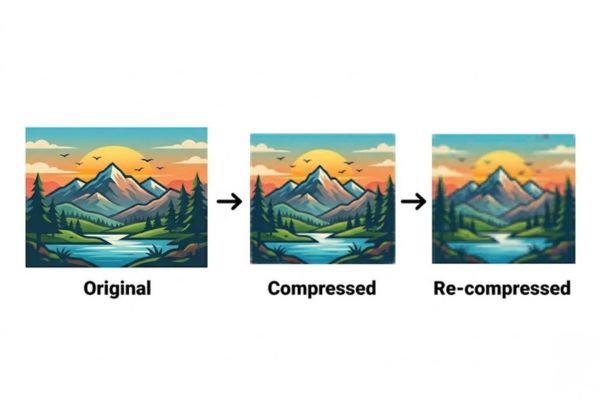
Mistake 3: Ignoring format and only adjusting size. People often fixate on the KB number and ignore that switching from PNG to JPG or JPG to WebP can get you better quality at the same file size with zero extra effort.
Fix: If your 150KB JPG looks soft, try compressing to WebP at the same target. You’ll almost always get a sharper result for the same file weight.
Mistake 4: Using 150KB for images that require zooming. Some platforms allow buyers to zoom into product photos. If you’re selling jewelry, fabric patterns, or electronics where buyers want to zoom in on fine details, 150KB might leave those details slightly soft under heavy zoom.
Fix: Use 200KB for primary product images on listings that support zoom. Reserve 150KB for secondary angles, lifestyle shots, or images that aren’t the main selling shot.
Latest from Our Blog
Explore image compressor guides, photo resizer tutorials, kilobyte reducer tips, and online image converter tools.
- How Image Compression Works (Beginner Guide + Free Online Tools)
- JPG vs PNG vs WebP — Which Image Format Should You Use?
- How to Compress Images for Government Forms (Free & Easy Guide)

- Reduce Passport Photo Size — Free Online Guide (Step-by-Step)

- Compress Images for Job Application — Free Step-by-Step Guide

- Reduce Image Size Without Losing Quality — Complete Free Guide
- Why Compress Images for Web — The Complete Guide

- Image Compression for Email Attachments — Complete Free Guide

Frequently Asked Questions
Yes, and it works quite well for most interior and exterior property shots. A well-lit kitchen or living room photo compresses to 150KB without significant quality loss. Areas to watch: photos with lots of fine detail like tile patterns, wood grain flooring, or complex light fixtures may look slightly softer. For most standard listing photos on Zillow or Realtor.com, 150KB will display cleanly and load quickly for buyers browsing multiple properties.
Indirectly, yes but in a positive way. Google’s Core Web Vitals score rewards fast page load times, and smaller images are a primary driver of page speed. A Squarespace or Wix store with 150KB product images will load faster than one using uncompressed 2MB photos, and faster pages tend to rank better. File size compression itself doesn’t hurt image SEO just make sure you’re still using descriptive filenames and alt text, which are the actual image SEO factors.
Amazon’s technical requirements for product images are focused on dimensions (at least 1000px on the long side for zoom) and format not file size. A 150KB image that meets the dimension requirements will upload without issue. That said, for your primary product image on Amazon, where zoom is a key buying feature, you might want 200KB or higher to keep zoom-level sharpness intact. For secondary images and lifestyle shots, 150KB is absolutely fine.
Yes,150KB is actually ideal for most Etsy listings. Etsy recommends keeping images under 1MB for upload, but from a page performance perspective, 150KB loads noticeably faster while maintaining enough visual quality to show product textures, colors, and detail accurately. Most Etsy buyers are browsing on mobile, where faster images mean less drop-off before they even see your product. For your main listing photo, 150KB is a safe, confident choice.
Usually this comes down to one of three things: (1) your original was already low resolution or slightly out of focus; (2) you’re judging the image zoomed in at 100% when it looks fine at normal display size; or (3) you started with an already-compressed JPEG. Try compressing to WebP format instead of JPG WebP handles compression significantly more efficiently and often produces a sharper result at 150KB than JPEG does. Also make sure your original image is at least 800×800 pixels before compressing.
For text-heavy documents, 150KB can cause text to look slightly degraded especially for fine print or small fonts. For US government portals, application forms, or business license uploads, we’d recommend staying closer to 200KB or higher to ensure text remains crisp and legible. This tool processes everything in your browser nothing is uploaded to any server so your documents stay completely private. But for clarity’s sake, bump up to 200KB for anything where readable text is critical.
Modern smartphone cameras take photos that are often 3–6MB or larger. Compressing these to 150KB is a significant reduction, but in practice it looks much better than that number sounds. iPhone and Android cameras produce clean, well-lit images that compress gracefully. You’ll lose some of the near-photographic sharpness at extreme zoom, but at the sizes Etsy, eBay, and most e-commerce platforms display product images, the result looks great. The key is to make sure you’re shooting in good light — a well-lit phone photo at 150KB beats a dim DSLR shot at 150KB every time.