
Compress Images to 350KB
Compress image to 350KB online. Upload images, click compress, and download instantly.
Drop images here or click to upload
Supports: PNG, JPEG, WebP
Note: All image compression happens entirely in your browser. We do not upload or store your images anywhere.
Who Actually Needs 350KB Images?
You’re a graphic designer wrapping up a client project the brand deck looks stunning, the hero image is crisp, and then you realize the client’s website CMS has a 400KB upload cap. You don’t want to destroy the image with heavy compression, but you need it just slightly smaller. That’s exactly the scenario where 350KB is your sweet spot. You’re not sacrificing quality you’re just trimming the excess.

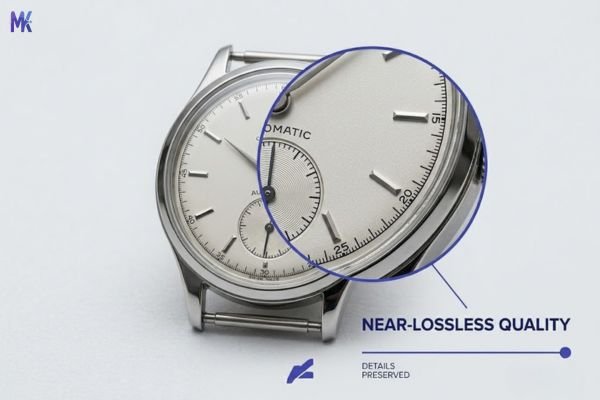
350KB sits at the high end of web-optimized image sizes. For most standard photos, compressing to this size is almost indistinguishable from the original to the human eye. We’re talking near-lossless territory. If you’re a photographer uploading portfolio images, a brand manager handling hero banners, or a magazine editor preparing spreads for a digital publishing platform, this is the size that lets you keep the richness of the image while still being responsible about file weight. Think of it as compression with a very light touch.
And honestly? If your image is already under 350KB, you don’t need this tool for that image. Skip it. Compressing an already-small file further will only hurt quality without giving you any meaningful size benefit. This page is for people working with high-quality source files RAW exports, DSLR photos, full-resolution design exports that are sitting at 700KB, 1.2MB, or more, and need to land around 350KB without looking like they’ve been through a blender.
Real Platforms and Websites That Require 350KB
Different platforms have different limits, but 350KB is a common ceiling for quality-forward environments places where image quality actually matters to the brand or user experience.
| Platform | Max Allowed | Common Use | Region/Scope |
| Issuu | ~500KB per page asset | Digital magazine spreads, editorial layouts | Global |
| Canva (uploaded assets) | No hard limit, but 350KB loads fastest | Custom brand image uploads, templates | Global |
| Adobe Express | ~500KB recommended for sharp rendering | Social graphics, quick brand content | Global |
| Google Business Profile (Cover) | 5MB max, but 350KB recommended for speed | Hotel/business cover photos | Global |
| Sotheby’s-style real estate portals | 300–500KB per listing image | Luxury property hero photos | US, UK, UAE, Global |
| Corporate website CMS (WordPress/Webflow) | 500KB–1MB, optimized at 350KB | Hero banners, about-page headers | Global |
| Luxury brand e-commerce | No fixed limit, performance standard | Product hero images, lookbook banners | Global |
| High-end photography portfolios (Format, Squarespace) | No hard cap, 350KB recommended | Portfolio gallery images | Global |
The interesting thing about 350KB is that it’s less about hard requirements and more about performance standards. Platforms like Issuu render faster when spreads are optimized. A Google Hotel profile cover at 350KB loads beautifully on mobile without triggering slow-load penalties. For luxury real estate portals, where the buyer expects both speed and visual quality, 350KB is practically the industry sweet spot.
What Image Quality Looks Like at 350KB
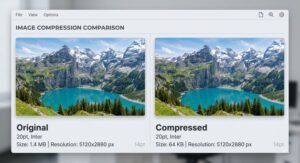
Let’s be straight with you: at 350KB, most images look excellent. For a typical 1920×1080 JPEG photo, compressing to 350KB usually means a compression ratio of roughly 50–70% and the difference from the original is barely perceptible unless you zoom in and pixel-peep.
What survives well at 350KB:
- Portrait photos — skin tones, hair detail, and eye sharpness all hold up
- Landscape photography — skies, greenery, and horizon lines remain clean
- Product photography on white/neutral backgrounds — edges stay sharp
- Architectural photography — straight lines, glass, and structural detail are preserved
- Full-bleed hero banners — gradient skies, brand colors, text overlays all look great
What shows slight degradation (honest):
- Extremely fine texture detail — like fabric grain on a close-up clothing shot, or intricate tile patterns in an interior photo
- Very dark shadow regions in high-contrast images — these can become slightly muddy
- Images with a lot of blue sky + cloud gradients at very large dimensions (3000px+) might show very faint banding
The honest bottom line: For 90% of web and digital publishing use cases, 350KB is near-lossless. If someone opens your image on a screen laptop, phone, tablet, external monitor they won’t know it was compressed. If you’re printing, that’s a completely different story. Never compress images intended for physical print. A print shop needs the full-resolution, uncompressed file. Full stop.
How to Get the Best Result at 350KB
Getting a great-looking 350KB image isn’t just about hitting a number it’s about making smart decisions before and during compression. Here’s what actually makes a difference:
1. Start with the highest quality source file you have. Don’t compress a file that’s already been compressed once. If you exported a JPEG from Lightroom, compressed it to 500KB, and now want 350KB go back and re-export from Lightroom at higher quality and compress fresh. Every re-compression cycle adds artifacts.
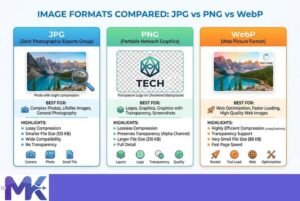
2. Use JPEG for photos, WebP for web-first images. If your image is destined for a website hero banner, portfolio image, e-commerce product shot export or convert to WebP before compressing. WebP at 350KB will look noticeably sharper than JPEG at 350KB because of how the codec handles color and detail. For print-preview PDFs or editorial layouts on Issuu, stick with JPEG.
3. Resize before you compress. If your source image is 5000×3500px and you only need it at 1920×1080px, resize it first. A smaller-dimension image compressed to 350KB will look dramatically better than a massive image squashed to the same size. The compression algorithm has fewer pixels to maintain, so each one gets more “budget.”
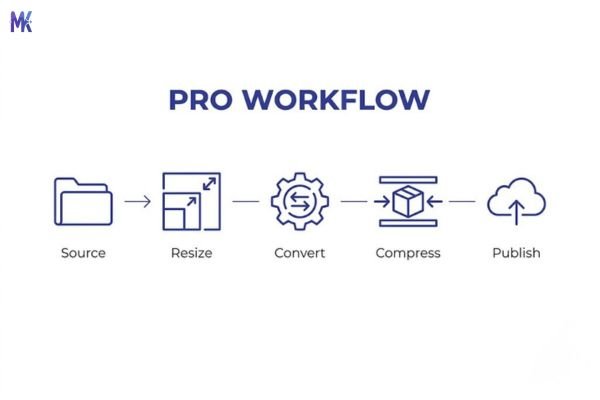
4. Watch your color mode. Make sure your image is in RGB, not CMYK. CMYK is for print, and many web tools (including browsers) don’t render it correctly. If you’re pulling assets from an Adobe InDesign or Illustrator file, confirm the export is RGB before compressing.
5. For portfolios and luxury brand work, test at actual display size. After compressing, open the image at 100% zoom in your browser and view it at the size it’ll actually appear on the page. A 350KB image at 1200px wide looks very different from a 350KB image stretched to 2400px wide. If it’s going to display large, compress conservatively.
6. If you have a batch of portfolio or editorial images to prepare, the tool lets you upload multiple images and compress them all to 350KB in one go useful when you’re prepping a full magazine spread or a real estate listing gallery without repeating the process file by file.
350KB vs 300KB vs 400KB – Which to Choose?
This comparison only matters if you have flexibility if a platform says “max 350KB,” you don’t have a choice. But if you’re optimizing for your own site, portfolio, or publication and can pick your target, here’s how to think about it:
| Size | Best For | Quality | File Savings vs Original | When to Avoid |
| 300KB | Fast-loading editorial, blog headers, mobile-first pages | Very good | Higher savings | Very large images (3000px+) may show minor softness |
| 350KB | Portfolio work, luxury brand imagery, digital magazines, hero banners | Excellent / near-lossless | Moderate savings | Already-small files under 400KB (not worth it) |
| 400KB+ | Usually unnecessary for web | Excellent | Minimal | Most platforms don’t need it — just use original |
Choose 350KB when: You need the image to look flawless on large screens, the brand is premium, or the image contains very fine detail that you can’t afford to lose.
Choose 300KB when: Page speed is a priority, the image is secondary to content (blog post illustration vs. hero banner), or you’re targeting mobile-heavy audiences.
Skip compression entirely when: Your image is already under 400KB, you’re printing, or you’re working in a context where file integrity matters (client deliverables, archival work, stock photo submissions).
Common Mistakes People Make at 350KB
1. Compressing an already-compressed file. If someone emails you a “compressed for web” image and you compress it again to 350KB, you’re doubling the quality loss. The artifacts from the first compression get worse with the second pass. Always compress from the cleanest source you have.
2. Assuming 350KB is always enough – without checking dimensions. A 350KB file that’s 800×600px is fine. A 350KB file that needs to display at 2560px wide on a Retina screen is going to look soft. Size and resolution work together. If your image needs to cover a large area at high resolution, 350KB might actually be too aggressive and you might not need compression at all.
3. Using PNG when JPEG or WebP would serve better. PNG is lossless by design, which means compressing a PNG to 350KB can sometimes produce visible quality drops that JPEG handles more gracefully. If your PNG is a photograph (not a logo or flat graphic with transparency), convert it to JPEG or WebP first, then compress. You’ll get much better results.
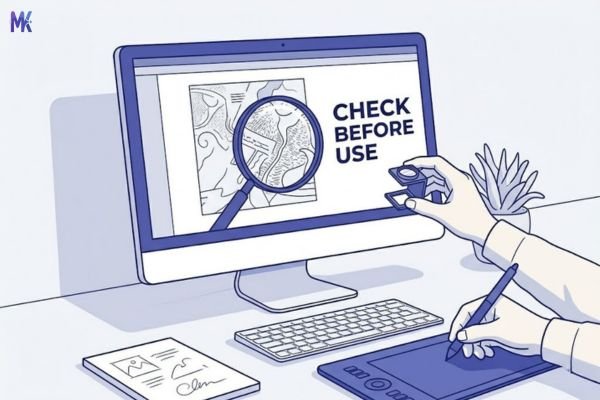
4. Not checking the output before using it in a live project. This sounds obvious but people skip it constantly. Download the compressed file, open it at full size, zoom into the areas with the most detail hair, fabric, text overlays, fine architectural lines. If it looks good there, it’ll look good everywhere. If you spot issues, try a slightly higher target size or a different format.
Latest from Our Blog
Explore image compressor guides, photo resizer tutorials, kilobyte reducer tips, and online image converter tools.
- How Image Compression Works (Beginner Guide + Free Online Tools)
- JPG vs PNG vs WebP — Which Image Format Should You Use?
- How to Compress Images for Government Forms (Free & Easy Guide)

- Reduce Passport Photo Size — Free Online Guide (Step-by-Step)

- Compress Images for Job Application — Free Step-by-Step Guide

- Reduce Image Size Without Losing Quality — Complete Free Guide
- Why Compress Images for Web — The Complete Guide

- Image Compression for Email Attachments — Complete Free Guide

- Bulk Image Compression — Complete Free Guide

Frequently Asked Questions
It will hold up well for web display, especially at typical listing page widths (1400–1920px). Where you need to be careful is if the portal also generates print brochures or high-DPI previews from the same uploaded file – in that case, check whether the platform has a separate upload path for print-quality assets. For web-only display on portals like high-end estate sites, 350KB looks professional and loads fast on every device.
Honestly, probably not. The difference between 380KB and 350KB is negligible in terms of load speed, and compressing it will cause some quality loss for almost no practical gain. Unless you’re hitting a hard platform limit of exactly 350KB, we’d suggest leaving it as-is. Compression should have a meaningful purpose — squeezing 30KB out of an already-small file isn’t that.
Yes, it works very well for that use case. Google Business Profile (and Google Hotel profiles) accept images up to 5MB, but serving a 3MB image as your cover photo means slow load times on mobile — which affects first impressions. A 350KB cover photo loads quickly, looks sharp on desktop and mobile, and won’t trigger any quality warnings. It’s one of the best real-world use cases for this exact size.
For most real-world photos at standard web dimensions (1920px or under), yes — 350KB genuinely preserves near-original quality. The difference is typically invisible at normal viewing distances and screen sizes. The caveat is very large images (4000px+) or photos with extremely fine micro-texture detail. In those cases, you might see very subtle softness. But for the vast majority of portfolio images, hero banners, and editorial photos, 350KB is as close to the original as most eyes will ever notice.
Not directly with a browser-based tool — RAW files need to be processed and exported as JPEG or WebP first. Export from Lightroom, Capture One, or your RAW processor of choice at maximum JPEG quality (90–100%), then compress that JPEG to 350KB using the tool. This two-step workflow gives you the cleanest possible result because you’re compressing from a high-quality baseline, not from a file that’s already been through multiple conversions.
The tool handles batch uploads, so you can queue up an entire issue’s worth of images and compress them all to 350KB in one session. For Issuu specifically, 350KB per image is a good target — spreads load smoothly, zoom quality is maintained, and readers on slower connections don’t experience lag between pages.
A rough rule: images up to about 2–3MB compress to 350KB with excellent results. Beyond that — say, 8MB+ RAW-exported TIFFs or ultra-high-resolution photos — the compression ratio becomes large enough that you’ll notice some quality tradeoffs in fine detail areas. For those, consider whether resizing the dimensions first makes sense, since a 4000px-wide image being displayed at 1920px is carrying a lot of unnecessary pixel data that you can shed before even touching the compression slider.