
Compress Images to 20kb
Compress image to 20KB online. Upload images, click compress, and download instantly.
Drop images here or click to upload
Supports: PNG, JPEG, WebP
Note: All image compression happens entirely in your browser. We do not upload or store your images anywhere.
Who Actually Needs 20KB Images?
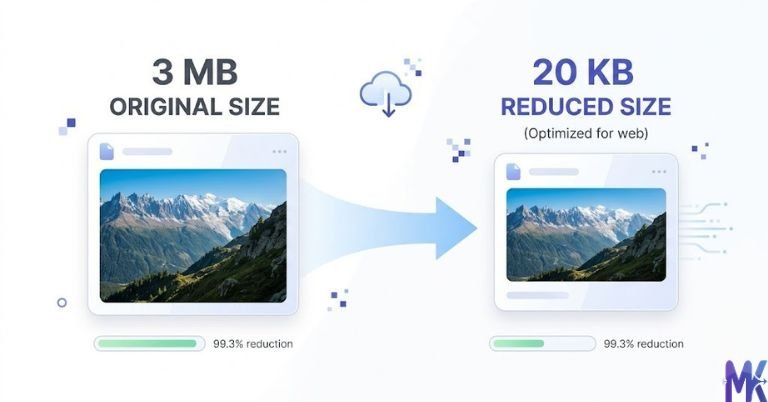
You’re sitting at a cyber café in Patna at 9 PM, the RRB NTPC application deadline is tomorrow, and the form is rejecting your photo because it’s 45KB just slightly over the limit. Sound familiar? This exact situation plays out thousands of times every recruitment season across India. The 20KB limit isn’t arbitrary government portals set it to keep their servers fast and forms lightweight, especially for applicants uploading from low-bandwidth connections in Tier 2 and Tier 3 cities.

If you’re a student applying for a central government job, a state PSC exam, or a bank recruitment like IBPS PO or Clerk, you’ve almost certainly run into this wall. Modern phone cameras shoot photos at 3MB to 8MB. Even a WhatsApp-compressed photo sitting in your gallery is usually 80KB to 200KB still way above what these portals accept. The gap between “the photo I have” and “the photo the form wants” is exactly why a tool like this exists.
It’s not just competitive exams either. Parents filling Kendriya Vidyalaya admission forms for their kids, students uploading passport photos on the National Scholarship Portal at scholarships.gov.in, or applicants attaching a signature image on DigiLocker all of these routinely ask for files under 20KB or very close to it. The 20KB target is one of the most common photo size requirements across Indian government and educational platforms, and getting it right the first time saves you a lot of frustration.
Real Platforms and Websites That Require 20KB Images

| Platform | Max Allowed | Common Use | Country/Region |
| RRB (Railway Recruitment Board) Portals | 20KB (photo), 10KB (signature) | Passport-size photo & signature upload | India (Central) |
| IBPS Online Application | 20KB (photo) | Bank PO, Clerk, SO recruitment | India (Central) |
| BPSC (Bihar PSC) | 20KB | State civil services application | Bihar |
| MPPSC (Madhya Pradesh PSC) | 20KB–50KB | State services exam registration | Madhya Pradesh |
| TNPSC (Tamil Nadu PSC) | 20KB–40KB | Group exams, recruitment forms | Tamil Nadu |
| National Scholarship Portal (scholarships.gov.in) | 20KB | Student photo for scholarship registration | India (Central) |
| Kendriya Vidyalaya Admission Form | 10KB–20KB | Child’s photo for KV school admission | India (Central) |
| DigiLocker Profile Photo | 20KB–50KB | Government document ID photo | India (Central) |
| SSC (Staff Selection Commission) | 20KB | CGL, CHSL, MTS recruitment | India (Central) |
| Various State University Admission Portals | 20KB–50KB | UG/PG admission form photo | State-level |
Tip: Always cross-check the exact limit on the official notification PDF some portals update their specs every recruitment cycle.
What Image Quality Actually Looks Like at 20KB
Let’s be honest with you, because nobody else usually is about this.
What survives well at 20KB: A plain passport-size photo the kind you take against a white or light background, with good lighting and a clear face compresses to 20KB with surprisingly decent quality. The face remains recognizable, skin tones hold up reasonably well, and the overall impression is clean enough to pass any government verification. If your original image is already a cropped face shot (200×230px or similar), you’re in good shape. JPG format handles this size range better than PNG for photographs, so always prefer JPG when working with face photos.
What starts to struggle: Fine details take a hit. If your photo has a patterned background, complex textures in your clothing, or very fine hair detail, those areas will show some compression artifacts a slight “blocky” or smudged look if you zoom in closely. Text in images (like a name on a shirt) will become harder to read. But for government form purposes, this almost never matters they want to see your face, not your outfit.
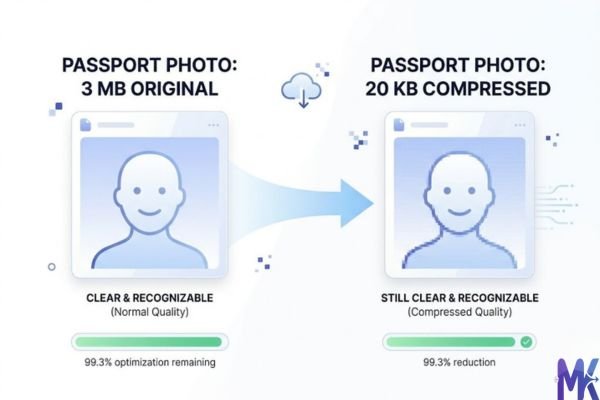
The honest tradeoff: 20KB is noticeably better than 10KB. At 10KB, even passport photos start looking visibly muddy. At 20KB, you’re in a sweet spot small enough for portal acceptance, clear enough for human recognition and document verification. You won’t be printing this photo; it’s going on a digital form. That context matters. Stop chasing pixel-perfect quality and focus on whether the face is clear and recognizable, because that’s all the clerk on the other end is checking.
Resolution matters as much as compression: A 1200×1600px image squeezed to 20KB will look worse than a 300×400px image at 20KB. Resize your image to the dimensions required by the form before compressing. RRB usually asks for 3.5cm × 4.5cm photos at 96 DPI, that’s roughly 132×170px. Working at the right resolution before compression gives you much better quality at the same file size.
How to Get the Best Result at 20KB
1. Crop before you compress Don’t feed the tool a full-frame selfie and expect miracles. Crop your image to show only the face and a little space above the head just like a real passport photo. The smaller the actual content area, the more quality you preserve when you hit that 20KB target. Most Indian recruitment notifications also specify exact dimensions (like 3.5cm × 4.5cm), so match those first.
2. Use JPG, not PNG, for photos PNG is lossless and bloated a PNG passport photo could easily be 150KB to 400KB before compression. JPG is built for photographs and compresses much more gracefully. If you have a PNG photo, convert it to JPG first, then compress. You’ll get much cleaner results at 20KB.
3. Get your lighting right at the source This sounds obvious but makes a huge difference. A photo taken in good natural light (near a window, not direct sunlight) against a plain white wall compresses better than a dark or shadowy photo. Dark images have more noise and noise is the enemy of compression. Clean, bright, simple photos give the algorithm less to wrestle with.
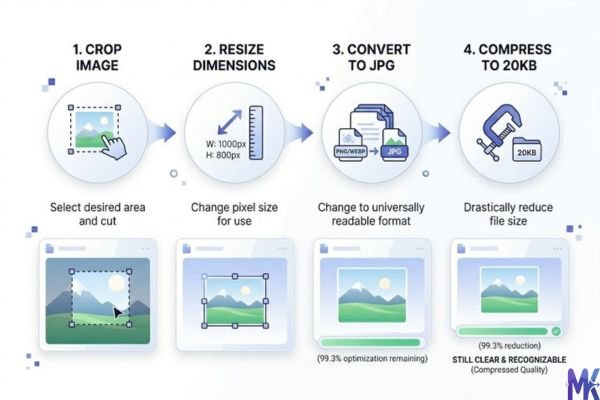
4. Don’t stretch the image to meet dimension requirements If the form asks for 200×200px and your photo is 150×200px, don’t stretch it. Distorted proportions make passport photos look unprofessional and sometimes trigger manual rejections. Instead, crop and adjust while maintaining natural proportions.
5. Check the output before you upload After compressing, zoom into the face on your screen. If it looks clear at 100% zoom on your phone or laptop screen, it will pass. If the face looks blurry or blocky even at normal view, try lowering the input resolution slightly (resize down further) and compress again sometimes a smaller source image compresses cleaner.
6. Handle multiple documents in one go If you’re filling multiple forms in one session say, IBPS and SSC both open at the same time you can upload multiple photos at once. This tool supports bulk compression, so you can drop several images together and compress them all to 20KB in a single click, which is a real time-saver when you’re racing a deadline.
20KB vs 10KB vs 30KB — Which One Should You Choose?
| 10KB | 20KB | 30KB | |
| Visual quality | Noticeably degraded, muddy | Acceptable, face clearly visible | Good, close to natural |
| Portal acceptance | RRB signature, some strict portals | Most central & state govt portals | Some relaxed portals, university forms |
| File size pressure | Very tight | Comfortable middle ground | Easy to achieve without quality loss |
| Best for | Signature images, small icons | Passport photos for govt forms | Profile photos, university uploads |
| Risk of rejection | Low if within spec | Low | Low |
| Recommended for Indian exams? | Only when specifically required | Yes — most cases | Only if portal explicitly allows |
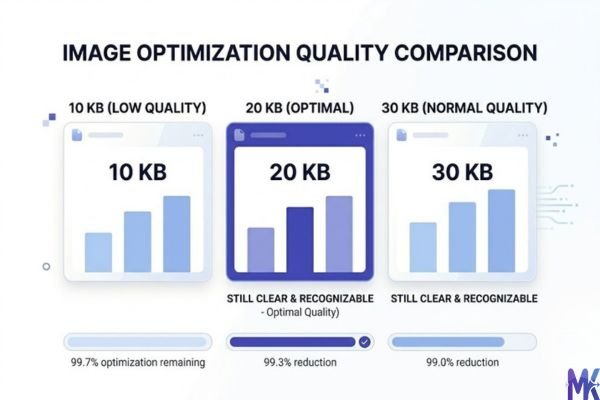
The practical answer: For 90% of Indian competitive exam applications RRB, IBPS, SSC, state PSCs 20KB is your target. Go with 10KB only when the form specifically says so (usually for signatures). Go with 30KB only if the portal explicitly allows it and you want slightly better quality. When in doubt, compress to 20KB it’s the safest bet across most portals.
Common Mistakes People Make at 20KB
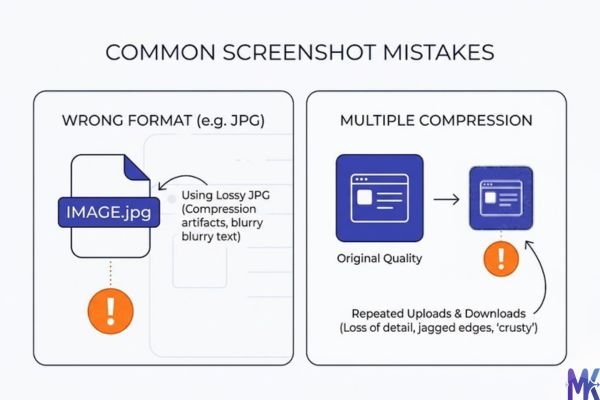
Mistake 1: Uploading a screenshot of a photo A lot of applicants take a photo, screenshot it on their phone, and upload the screenshot. Screenshots save as PNG by default and carry extra data status bars, background apps, borders. The result is a much larger file that compresses poorly. Always use the actual photo file from your camera roll, not a screenshot of it.
Fix: Transfer the original photo file from your gallery to your laptop or compress directly on mobile using the original camera image.
Mistake 2: Compressing and re-compressing the same image Every time you run a JPG through a compression cycle, you’re compressing an already-compressed image. Quality loss stacks up. If your first attempt came out at 22KB and you try to squeeze it to 20KB by running it through again, the second round will degrade the quality more than necessary.
Fix: Always start from your original, uncompressed photo. Keep one clean copy saved separately and compress fresh from that every time.
Mistake 3: Ignoring the dimension requirement and only caring about file size The form says “20KB, 200×230 pixels.” Many people compress to 20KB but leave the image at 1500×1800 pixels. The portal sometimes rejects this because the pixel dimensions are out of spec even if the file size is right.
Fix: Resize your image to the exact pixel dimensions mentioned in the official notification, then compress for the file size. Both need to match.
Mistake 4: Using the wrong file format and wondering why quality is bad Some applicants save their photo as PNG (because that’s what their editing app exported), then try to compress it to 20KB. PNG files at 20KB look significantly worse than JPG files at 20KB because PNG uses a different compression method that isn’t designed for photographs.
Fix: Convert your image to JPG before compressing. Almost every phone gallery and photo editor lets you export or save as JPG. Start with JPG, compress to 20KB, and the quality will be much better.
Latest from Our Blog
Explore image compressor guides, photo resizer tutorials, kilobyte reducer tips, and online image converter tools.
- How Image Compression Works (Beginner Guide + Free Online Tools)
- JPG vs PNG vs WebP — Which Image Format Should You Use?
- How to Compress Images for Government Forms (Free & Easy Guide)

- Reduce Passport Photo Size — Free Online Guide (Step-by-Step)

- Compress Images for Job Application — Free Step-by-Step Guide

- Reduce Image Size Without Losing Quality — Complete Free Guide
Frequently Asked Questions
You need to be within the range, not at exactly 20KB. If the form says 15KB–20KB, anything in that window is accepted. A 17KB or 18KB file is perfectly fine. The tool lets you set an exact target, so just aim for 18KB–19KB to stay safely in range without cutting it too close to the lower limit.
Yes. The signature image and the photo are two separate uploads on the IBPS form, and they have different size limits. Compress your photo to under 20KB and your signature separately to under 10KB. Since this tool processes whatever size you set, just do them one at a time (or drop both files and set the right target for each).
TNPSC portals sometimes reject images for reasons beyond file size — incorrect pixel dimensions, wrong file format (they may require JPG specifically), or filenames with special characters. Check the official notification for exact specs. Try renaming your file to something simple like “photo.jpg” and ensure the dimensions match what TNPSC specifies for that recruitment.
For Indian government recruitment verification, the photo is used for visual identity matching — an official or system checks whether the face in the form matches the candidate appearing for the exam. At 20KB, face features are clear enough for this purpose. You’re not going through facial recognition AI; it’s a human or basic visual check. 20KB is more than adequate.
The NSP portal typically accepts photos up to 20KB in JPG format. Make sure the photo is a proper passport-style image (not a full-body photo or a cropped group photo), saved as JPG, and within the pixel dimensions they specify. If it’s still failing after compression, try opening the photo in Paint (on Windows), saving it as JPG at medium quality, and then compressing this can resolve encoding issues that some portals are picky about.
It depends on the portal. Some portals have strict validation that rejects anything above the limit, even by 1KB. Others have a slightly lenient check. It’s not worth the risk of a rejected application over 2KB. Compress it to 19KB–20KB and upload with confidence. The quality difference between 22KB and 20KB is invisible to the human eye.
The compression works the same regardless of background color. However, most Indian recruitment notifications specifically require a plain white or off-white background for passport photos. A colored or patterned background also compresses slightly worse (because it adds more visual data), so a clean white background gives you marginally better face quality at the same file size. Follow the notification’s instructions on background and when in doubt, white is always safe.