
Compress Images to 90KB
Compress image to 90KB online. Upload images, click compress, and download instantly.
Drop images here or click to upload
Supports: PNG, JPEG, WebP
Note: All image compression happens entirely in your browser. We do not upload or store your images anywhere.
Who actually needs 90KB images?
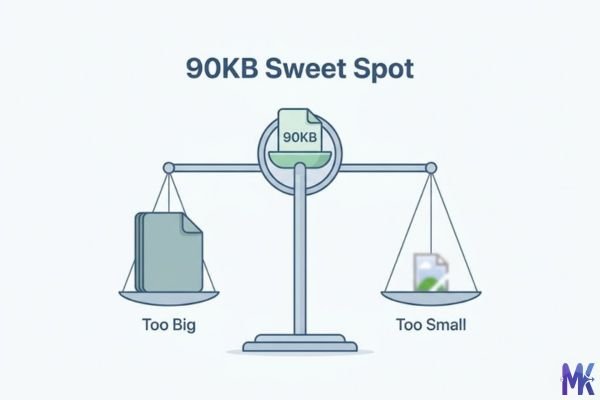
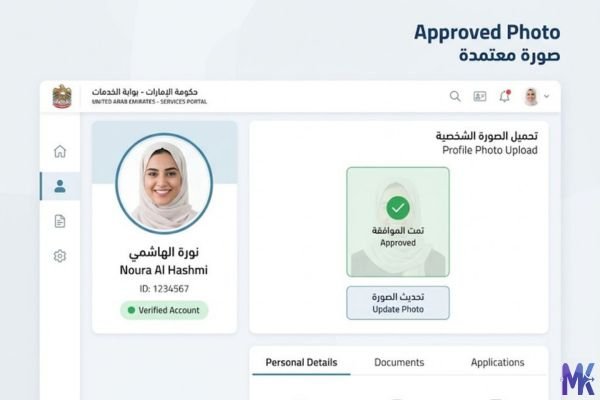
You’re sitting at a café in Dubai, finally getting around to renewing your Emirates ID through the GDRFA portal, and the photo upload keeps rejecting your file. Too large, it says. You resize it, try again now it’s too small and blurry. The sweet spot? Right around 90KB. That’s where most Gulf government portals sit comfortably, and it’s probably why you’re here.

For the millions of expats living and working across the UAE, Saudi Arabia, Qatar, and Kuwait, digitized government services have become part of daily life. Whether you’re renewing your Iqama on Absher, updating your residency details on the Qatar MOI portal, or processing a Kuwait Civil ID renewal online, photo uploads with tight file size limits are everywhere. And 90KB hits a genuinely useful middle ground it’s tight enough to pass upload restrictions, but generous enough to keep your face photo looking sharp and professional. That matters, because these aren’t casual selfie uploads. Visa officers and ID processing teams actually look at these photos.
Job applications are the other big scenario. If you’ve applied through Bayt.com or GulfTalent the two biggest job platforms in the Middle East you’ve hit photo and document upload limits more than once. A profile photo that uploads clean, looks professional, and doesn’t pixelate when a recruiter views it on a large screen? That takes a bit more care than just dragging any file into the box. 90KB gives you that quality with room to spare.
Real platforms and websites that require 90KB
| Platform | Max Allowed | Common Use | Country |
| UAE GDRFA Portal | 90KB – 100KB | Residency visa, Emirates ID photo uploads | UAE |
| Saudi Absher Platform | 80KB – 100KB | Iqama renewal, government service applications | Saudi Arabia |
| Qatar MOI Portal | 90KB – 150KB | Residence permit, ID photo submission | Qatar |
| Kuwait Civil ID Online | 90KB – 100KB | Civil ID renewal, expat residency updates | Kuwait |
| Bayt.com | 100KB (profile photo) | Job applications, CV photo uploads | Middle East-wide |
| GulfTalent | 90KB – 120KB | Professional profile photos for recruiters | UAE, Saudi, Qatar |
| Dubai REST App | 90KB – 100KB | Property registration, owner documents | UAE |
| Saudi Etimad Platform | 100KB per document | Government tenders, official submissions | Saudi Arabia |
Note: These limits can change when portals update. If a portal rejects your 90KB image, try 85KB that usually clears it.
What image quality looks like at 90KB
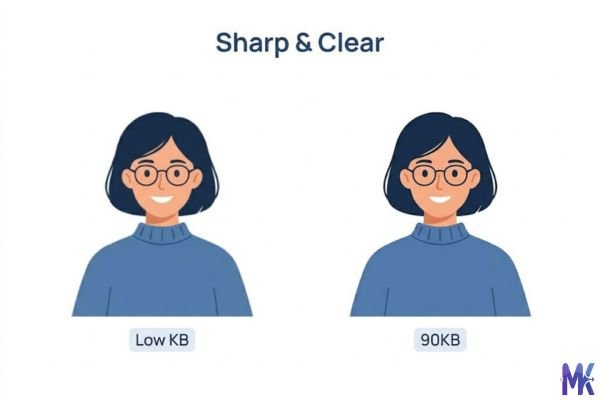
Let’s be honest with you, because most tools won’t be: 90KB is not lossless. But it’s also not bad not even close. Here’s what actually happens to your image at this size.
What holds up well: Face photos compressed to 90KB retain excellent clarity. Skin tones stay accurate, facial features remain sharp, and background details are clean enough for professional use. For a standard passport-style photo (white background, centered face), 90KB is more than enough. This is exactly why it works for Iqama and Emirates ID submissions the photo quality is there.
What takes a hit: Fine textures suffer the most. If you’re compressing a document scan with small printed text, or a product photo with intricate patterns, you’ll notice slight softness around edges at 90KB. It’s not unreadable but if your document has 8pt font, zoom in after compressing to make sure it’s still legible.
The color question: JPEG compression at 90KB handles flat colors and skin tones better than gradients or detailed backgrounds. A photo taken in front of a plain wall? Clean. A photo with a busy background full of detail? You might see some compression artifacts in the background though your face will still look fine.
PNG vs JPG at 90KB: A PNG file compressed to 90KB will look sharper than a JPG at the same size because PNG uses lossless compression, but only if your original image is simple (logos, ID documents with flat color areas). For photographs, JPG handles 90KB more efficiently and typically looks better.
How to get the best result at 90KB
1. Start with the highest quality original you have. This sounds obvious, but people often try to compress an already-compressed photo. If you’re using a photo that was already at 150KB and low quality, compressing it to 90KB will just make it worse. Always go back to the highest resolution source your phone camera photo, your scanner output, the original file.
2. Crop before you compress. If you’re uploading a profile photo for Bayt.com or a passport photo for the GDRFA portal, crop the image to the required dimensions first. A tightly cropped face photo compresses much better to 90KB than a wide-angle photo where your face is small. Less image area = better use of those 90 kilobytes.
3. For documents, convert to JPG before compressing. PDFs and PNGs of scanned documents can be bulky. If a portal asks for a JPG photo of your Iqama or residence permit, converting your scan to JPG first and then compressing to 90KB usually gives a cleaner result than compressing a PNG directly.
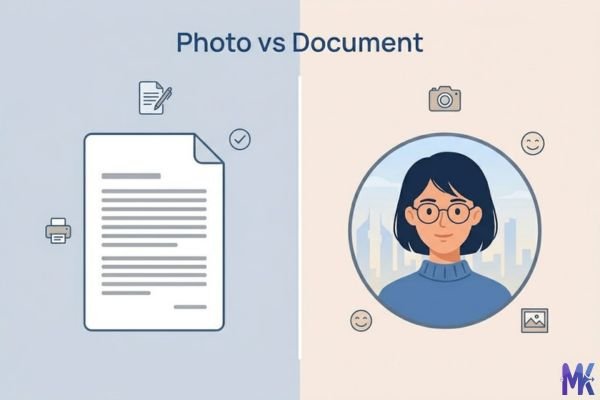
4. Check the compressed file on your phone screen. Government portal reviewers often check documents on smaller screens. After compressing, open the file on your mobile and zoom in to your face or the text you need to be readable. If it looks fine on your phone at full zoom, it’ll look fine on their end.
5. Use bulk compression when you’re submitting multiple documents. If you’re applying for a job on GulfTalent and need to upload your photo, your degree certificate scan, and your Emirates ID copy all at 90KB you don’t have to compress each one separately. This tool lets you upload all your files at once and compress them in a single click, which saves a lot of back-and-forth when you’re working against an application deadline.
6. Don’t go lower than needed. If 90KB passes the portal’s limit, there’s no reason to drop to 70KB or 60KB. Every kilobyte you cut takes quality with it. Use exactly 90KB and stop there.
90KB vs 80KB vs 100KB — Which to choose?
| 80KB | 90KB | 100KB | |
| Best for | Strict portals with hard 80KB caps (some Absher forms) | Most Gulf government portals, job site photos | Portals with generous limits, higher quality needed |
| Photo quality | Good — slight softness on detailed backgrounds | Excellent — sharp faces, clean documents | Excellent — nearly indistinguishable from uncompressed |
| Accepted by GDRFA? | Usually yes | Yes, comfortably | Yes |
| Accepted by Qatar MOI? | Yes | Yes | Yes |
| Risk of rejection | Low | Very low | Very low |
| File size feel | Tight | Comfortable | Slightly larger |
When to pick 80KB: The portal explicitly says 80KB maximum and you can’t go over. Some older Absher form pages and certain Kuwait Civil ID screens have stricter caps. Go to 80KB only when you must.
When to pick 90KB: This is your default for almost everything in the Gulf region. Job applications, ID renewals, visa photos, government tender documents 90KB handles all of it with quality to spare.
When to pick 100KB: When the portal allows up to 100KB or more, and you want to preserve maximum quality. Product photos for a Dubai-based business listing, or portfolio images for a creative job application on GulfTalent, benefit from those extra 10KB.
Common mistakes people make at 90KB
Mistake 1: Compressing the wrong file format for the job Someone takes a screenshot of their ID card on their iPhone which saves as a HEIC file converts it quickly to PNG, then tries to compress that PNG to 90KB. The result is larger than expected and looks blurry. The fix: convert HEIC or BMP files to JPG first, then compress. JPG handles photographic content at 90KB far more efficiently than PNG does.
Mistake 2: Assuming 90KB means 90KB exactly Some portals reject files at 91KB but accept 89KB. If you’re targeting 90KB and the portal keeps rejecting it, aim for 87–88KB instead. Give yourself a small buffer below the limit rather than hitting it exactly.
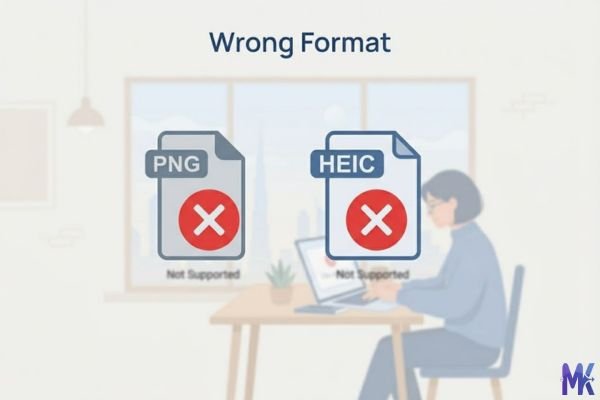
Mistake 3: Compressing a photo that’s already small in dimensions If your photo is only 200×200 pixels and you try to compress it to 90KB, you’ll likely get a muddy result because the image has no detail to spare. For face photos, make sure your image dimensions are at least 400×400 pixels before compressing. Most phone cameras produce far larger images, so this is mainly a concern if you’re working with a cropped screenshot.
Mistake 4: Not checking the compressed file before uploading This one costs people real time. You compress the photo, immediately upload it to the Absher platform or the GDRFA portal, it gets rejected but you don’t know if it was rejected for size, format, or quality. Always download and check your compressed file first. Open it, zoom in, make sure text is readable and faces look clean. Ten seconds of checking saves you from submitting a blurry ID photo to an immigration portal.
Latest from Our Blog
Explore image compressor guides, photo resizer tutorials, kilobyte reducer tips, and online image converter tools.
- How Image Compression Works (Beginner Guide + Free Online Tools)
 Every time you visit a website, your browser loads images. And if those images are too large, the page feels… Read more: How Image Compression Works (Beginner Guide + Free Online Tools)
 - JPG vs PNG vs WebP — Which Image Format Should You Use?
 You click “Save Image” and suddenly you’re staring at three options: JPG, PNG, WebP. Which one do you pick? Does… Read more: JPG vs PNG vs WebP — Which Image Format Should You Use?
 - How to Compress Images for Government Forms (Free & Easy Guide)
 You finally gathered all your documents. Your photo is ready. You open the government portal, click upload and then it… Read more: How to Compress Images for Government Forms (Free & Easy Guide)
 - Reduce Passport Photo Size — Free Online Guide (Step-by-Step)
 You have your passport photo ready. You open the application portal. You click upload and the website says: “File size… Read more: Reduce Passport Photo Size — Free Online Guide (Step-by-Step)
 - Compress Images for Job Application — Free Step-by-Step Guide
 You spent hours filling out a job application. Everything is perfect your details, your qualifications, your experience. Then you reach… Read more: Compress Images for Job Application — Free Step-by-Step Guide
 - Reduce Image Size Without Losing Quality — Complete Free Guide
 You have a beautiful, sharp image. Maybe it is a product photo, a portfolio shot, or a graphic you worked… Read more: Reduce Image Size Without Losing Quality — Complete Free Guide
 - Why Compress Images for Web — The Complete Guide
 You built a great website. The design looks clean. The content is solid. But visitors are leaving within seconds and… Read more: Why Compress Images for Web — The Complete Guide
 - Image Compression for Email Attachments — Complete Free Guide
 You want to send a few photos over email. Simple enough. You attach them, hit send and nothing happens. Or… Read more: Image Compression for Email Attachments — Complete Free Guide
 - Bulk Image Compression — Complete Free Guide
 One image takes a minute to compress. Twenty images take twenty minutes if you do them one at a time.… Read more: Bulk Image Compression — Complete Free Guide
Frequently Asked Questions
Not for standard-size printed text. If your document has normal 10–12pt printed text (like a degree certificate, an offer letter, or a bank statement), compressing to 90KB in JPG format will keep the text completely readable. Where you need to be careful is very small text footnotes, stamp text, fine print. After compressing, zoom in on those areas specifically and confirm they’re still clear before you upload to something like the Kuwait Civil ID portal.
The Qatar MOI portal is one of the more flexible ones — it typically accepts photos up to 150KB. So 90KB will upload without any rejection. The bigger concern for MOI portal submissions is usually the photo dimensions and background color rather than file size. Compress to 90KB, but also make sure your photo meets MOI’s dimension requirements (usually 35mm×45mm equivalent at 300 DPI for printed ID standard).
In most cases, yes. The Saudi Absher platform generally accepts photos in the 80KB–100KB range depending on the specific form. 90KB sits right in the middle of that window. If a specific Absher service page asks for a maximum of 80KB, use our 80KB compression page instead — but for general Iqama renewal and most Absher photo uploads, 90KB works without issues.
Yes, and it’s actually one of the better sizes for it. The GDRFA portal typically accepts photos between 90KB and 100KB for residency and Emirates ID applications. A face photo compressed cleanly to 90KB will look sharp, pass the size check, and meet the professional quality expected for official ID submissions. Just make sure your photo has a plain background and your face is well-lit before compressing compression doesn’t fix a bad photo.
Bayt.com allows profile photos up to around 100KB, so 90KB will upload fine. But if your photo looks pixelated, the issue is likely the original image quality or dimensions, not the compressed size. Make sure your original photo is at least 400×400 pixels. A pixelated 90KB image usually means the source photo was already low resolution compression can’t add detail that wasn’t there to begin with.
Absolutely. If you’re prepping a full job application for GulfTalent say your headshot, your Emirates ID copy, and your experience certificate scan you can upload all of them together and compress to 90KB at once. The tool handles multiple files in one go without any signup or account needed. Everything stays in your browser, so none of your ID photos or documents leave your device.
Not really — the Absher platform applies the same file size limits regardless of whether you’re a Saudi citizen or a resident expat. The 90KB range works for both. The difference is more in which Absher services you’re accessing: Saudi nationals typically use it for national ID updates and vehicle registration, while expats (including large Pakistani, Indian, and Bangladeshi worker communities) more commonly use it for Iqama renewals, visa status changes, and residency-related document uploads. The 90KB sweet spot serves both use cases equally well.