
Compress Images to 80KB
Compress image to 80KB online. Upload images, click compress, and download instantly.
Drop images here or click to upload
Supports: PNG, JPEG, WebP
Note: All image compression happens entirely in your browser. We do not upload or store your images anywhere.
Who actually needs 80KB images?
You’re sitting at your kitchen table at 11pm, finally filling out your Express Entry profile on the Canada.ca portal, and you hit that wall “Photo must be under 100KB.” You take a photo, it’s 3.2MB. You resize it, it’s still 800KB. You try an online tool, it overshoots and gives you 40KB that looks pixelated. Sound familiar? That’s exactly who 80KB is for.

For immigrants and visa applicants in Australia and Canada, file size restrictions on government portals are one of the most frustrating small problems that can delay an important application. Whether you’re uploading a passport-style photo to ImmiAccount for your Australian visa or attaching a headshot to your Express Entry profile, 80KB sits right in that sweet spot small enough to meet almost every portal’s limit, but large enough that your photo still looks clean and professional.
It’s not just immigration. Job seekers in Australia uploading a profile photo to Seek.com.au, or Canadian students submitting enrollment documents to OUAC (Ontario Universities’ Application Centre), or a small business owner filling in a Service Canada business registration form all of them run into this same 80KB wall at some point. The tool on this page exists for exactly these moments.
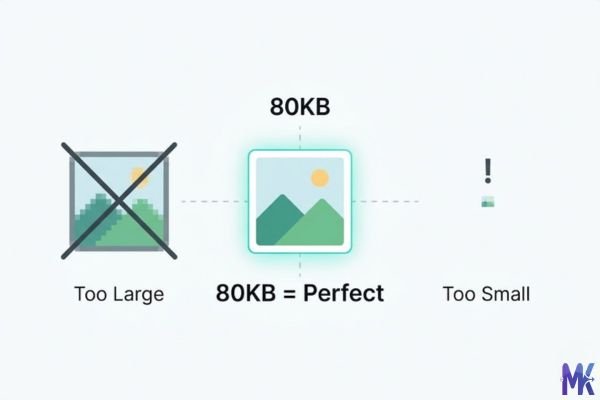
Real platforms and websites that require 80KB images
These are real portals and platforms used actively in Australia and Canada where image file size limits apply:
| Platform | Max Allowed | Common Use | Country |
| ImmiAccount | 100KB (JPG) | Visa application photo upload | Australia |
| MyGov Australia | 100KB | Identity document photos | Australia |
| TAFE NSW / TAFE Queensland enrollment portals | 100KB | Student ID photo | Australia |
| Seek.com.au | ~100KB (compressed) | Profile photo for job listings | Australia |
| Canada.ca Online Services | 100KB | Government form photo attachments | Canada |
| Express Entry (IRCC Portal) | 240KB (but 80KB works great) | Immigration profile photo | Canada |
| Service Canada online forms | 100KB | EI, CPP, and benefit applications | Canada |
| OUAC (Ontario Universities Application Centre) | 100KB | University application photo | Canada |
| Indeed Canada | ~150KB | Resume/profile photo | Canada |
| CIC (Immigration, Refugees and Citizenship Canada) | 100KB | Citizenship application documents | Canada |
Note: These limits can change. Always check the portal’s current instructions before submitting. But uploading an 80KB file to any of these platforms will almost never be rejected on size grounds.

What image quality looks like at 80KB
Let’s be honest with you here, because most tools aren’t.
What holds up well at 80KB: A portrait photo the kind you’d use for a visa application or job profile at 80KB looks genuinely good. Skin tones stay smooth, facial features stay sharp, and the overall impression is professional. If your original image is well-lit and not overly complex, viewers won’t be able to tell it’s been compressed. For passport-style photos on white backgrounds, 80KB is more than sufficient.
What starts to show strain: Images with fine texture a patterned shirt, tree foliage in the background, or a detailed landscape may show slight compression artifacts in those areas. If you look closely at the edge of your hair or the texture of a fabric, you might notice very subtle blockiness. This is mostly invisible at normal viewing sizes (like on a form preview or a portal thumbnail), but it’s there under zoom.
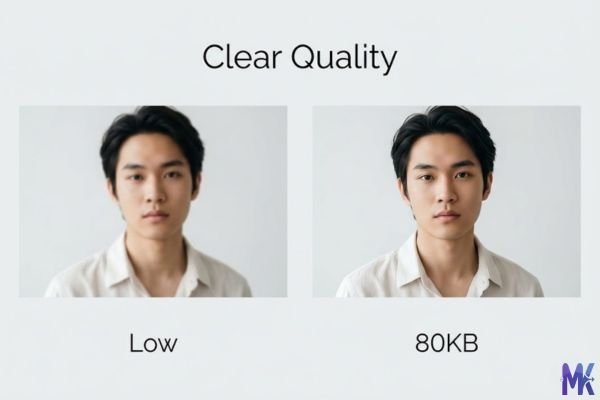
What degrades noticeably: Complex illustrations, infographics with thin text, and screenshots with small fonts do not compress well to 80KB. For these, consider whether 90KB might give better results, or whether you can simplify the image before compressing.
The honest bottom line: For a standard portrait or headshot the #1 use case for immigration and job portal uploads 80KB is excellent. Your photo will look sharp, professional, and ready to submit. For complex images with lots of detail, it’s a noticeable but acceptable tradeoff.
How to get the best result at 80KB
These tips are specific to getting the most out of 80KB compression not generic “upload and download” advice.
1. Crop before you compress. If your original photo has a lot of background a wide room, an outdoor scene, a cluttered office crop it to show mainly your face and shoulders before compressing. Less information in the image means the compressor can allocate more quality to what actually matters: your face.
2. Match the portal’s required dimensions first. ImmiAccount asks for 45mm × 35mm passport specs. OUAC may specify a certain pixel width. Resize your photo to the correct dimensions before compressing to 80KB. Compressing a 4000×3000px image down to 80KB causes far more quality loss than compressing a 600×800px image to 80KB.
3. Use JPG for photos, PNG for screenshots. If you’re uploading a portrait photo, save it or export it as a JPG before compressing JPG handles skin tones and gradients far better at small file sizes. PNG at 80KB is only really appropriate for images with flat colors or transparent backgrounds (like logos).
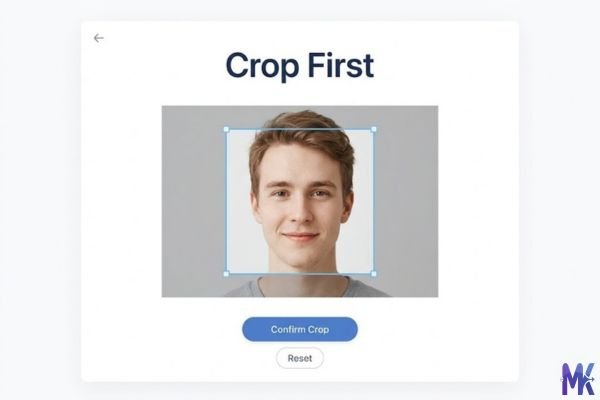
4. Solid-color backgrounds compress dramatically better. Government portals (like ImmiAccount and IRCC) often require white or light gray backgrounds for photos anyway. This is also ideal for compression a white background contains very little data and leaves more of the 80KB budget for your face.
5. Don’t over-edit before compressing. Heavy sharpening, high contrast adjustments, or excessive saturation create more compression artifacts. A naturally lit, slightly soft original will compress to 80KB more cleanly than an over-processed one.
6. Check the output before submitting. After compressing, zoom in on the result at 100% on your screen. If you see blocky artifacts around your eyes or hairline, try starting from a higher-resolution original, or reduce the image dimensions slightly before compressing again. The tool also supports uploading multiple images at once, so if you need to compress a passport photo alongside a supporting document, you can do both in one go and download each at exactly 80KB.
80KB vs 70KB vs 90KB — Which to choose?
This depends entirely on the portal you’re submitting to and the type of image you have.
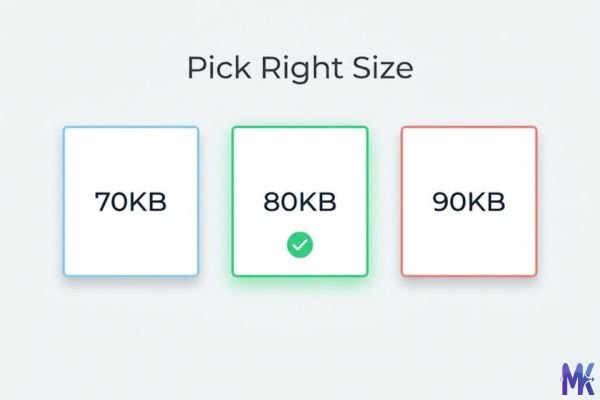
| 70KB | 80KB | 90KB | |
| Quality | Good — slight softness on complex images | Very good — professional-quality portraits | Excellent — close to uncompressed look |
| Portal compatibility | Works for strict 80KB limits | Works for 80KB and 100KB limits | Works for 100KB limits |
| Portrait photos | Acceptable | Excellent choice | Marginal improvement |
| Detailed images | Noticeable compression | Visible but acceptable | Much cleaner |
| Best for | Strict file size requirements, simple images | Most government portals, job profile photos | Higher-end portals, images with fine detail |
| Risk of rejection | Very low | Very low | Low (depends on portal limit) |
Choose 80KB when: The portal allows up to 100KB and you’re uploading a standard portrait photo. This is the right choice for ImmiAccount Australia, Canada.ca online forms, OUAC applications, and Seek.com.au profile photos. It gives you real quality headroom without pushing the limit.
Choose 70KB when: The portal explicitly states an 80KB maximum, or you’re in a situation where you need a buffer. Some older government portals have strict byte-level checks and being at exactly 80,000 bytes can occasionally cause edge-case issues.
Choose 90KB when: You have a more complex image like a photo with a detailed background you couldn’t remove and the portal limit allows it. For Express Entry on IRCC, for example, the actual limit is 240KB, so 90KB gives you slightly better image quality with plenty of room.
Common mistakes people make at 80KB
Mistake 1: Compressing a tiny image to 80KB and wondering why it looks bad. If your starting image is already 90KB and 400×300px, compressing it further to 80KB will noticeably hurt quality — there’s not much data there to work with. For the best results at 80KB, start from a photo that’s at least a few hundred KB and reasonably large in dimensions (at least 600px on the short side). The compressor then has room to work.
Fix: Start from the original high-resolution photo, not a previously compressed version.
Mistake 2: Uploading a screenshot of a document and expecting it to look sharp at 80KB. Screenshots contain fine text, thin lines, and sharp pixel edges exactly what JPEG compression hates. A screenshot compressed to 80KB will often show blurry text and color fringing around edges.
Fix: For document images, use PNG format. Better yet, export or scan the document as a PDF if the portal accepts it PDFs handle text much better than compressed JPEGs.

Mistake 3: Compressing to 80KB then re-compressing again. You compress a photo to 80KB, realize you need to crop it slightly, re-save it, then compress again. Each compression pass degrades quality. Two 80KB compression passes produce noticeably worse results than one.
Fix: Do all your editing (cropping, resizing, background cleanup) before you compress — once. Compress last.
Mistake 4: Assuming 80KB automatically means the photo meets all requirements. File size is just one requirement. Portals like ImmiAccount have strict rules about photo dimensions, background color, facial positioning, and image recency. 80KB just handles the size part.
Fix: Before compressing, confirm your photo meets all the other requirements listed on the portal dimensions, format (usually JPG), and background color.
Latest from Our Blog
Explore image compressor guides, photo resizer tutorials, kilobyte reducer tips, and online image converter tools.
- How Image Compression Works (Beginner Guide + Free Online Tools)
 Every time you visit a website, your browser loads images. And if those images are too large, the… Read more: How Image Compression Works (Beginner Guide + Free Online Tools)
 - JPG vs PNG vs WebP — Which Image Format Should You Use?
 You click “Save Image” and suddenly you’re staring at three options: JPG, PNG, WebP. Which one do you… Read more: JPG vs PNG vs WebP — Which Image Format Should You Use?
 - How to Compress Images for Government Forms (Free & Easy Guide)
 You finally gathered all your documents. Your photo is ready. You open the government portal, click upload and… Read more: How to Compress Images for Government Forms (Free & Easy Guide)
 - Reduce Passport Photo Size — Free Online Guide (Step-by-Step)
 You have your passport photo ready. You open the application portal. You click upload and the website says:… Read more: Reduce Passport Photo Size — Free Online Guide (Step-by-Step)
 - Compress Images for Job Application — Free Step-by-Step Guide
 You spent hours filling out a job application. Everything is perfect your details, your qualifications, your experience. Then… Read more: Compress Images for Job Application — Free Step-by-Step Guide
 - Reduce Image Size Without Losing Quality — Complete Free Guide
 You have a beautiful, sharp image. Maybe it is a product photo, a portfolio shot, or a graphic… Read more: Reduce Image Size Without Losing Quality — Complete Free Guide
 - Why Compress Images for Web — The Complete Guide
 You built a great website. The design looks clean. The content is solid. But visitors are leaving within… Read more: Why Compress Images for Web — The Complete Guide
 - Image Compression for Email Attachments — Complete Free Guide
 You want to send a few photos over email. Simple enough. You attach them, hit send and nothing… Read more: Image Compression for Email Attachments — Complete Free Guide
 - Bulk Image Compression — Complete Free Guide
 One image takes a minute to compress. Twenty images take twenty minutes if you do them one at… Read more: Bulk Image Compression — Complete Free Guide
 - Image Size Requirements for Indian Government Websites (2026 Complete Guide)
 Introduction to Government Image Requirements Why Image Size Matters in Indian Online Forms When you apply for a… Read more: Image Size Requirements for Indian Government Websites (2026 Complete Guide)
 - Best Image Formats for Web Performance (2026 Guide for Fast Websites)
 Why Image Format Matters for Web Performance Images are the single largest contributor to page weight on the… Read more: Best Image Formats for Web Performance (2026 Guide for Fast Websites)
Frequently Asked Questions
TAFE portals (NSW, Queensland, Victoria) sometimes have requirements beyond file size — they may require specific pixel dimensions, only accept JPG (not PNG), or have minimum resolution rules. Check the portal’s exact upload requirements. Often the issue is that the photo is either too small in pixels (the portal may require at least 400×500px) or the wrong format.
Absolutely. If you have a passport photo, a supporting ID image, and a document scan to compress, you can upload all of them together and compress them to 80KB in one session — no need to do them one by one.
Yes, and this is one of the most common use cases. ImmiAccount accepts JPG photos up to 100KB for visa applications, and an 80KB compressed image sits comfortably within that limit. Make sure your photo also meets the other requirements: white background, facing forward, recent, and correctly sized (the portal specifies 45mm × 35mm at 300dpi for passport-style photos). This tool handles the file size; the rest is on you.
Yes. The IRCC (Immigration, Refugees and Citizenship Canada) portal allows photos up to 240KB, so 80KB has plenty of room. More importantly, 80KB produces a sharp, professional-quality portrait — which is what immigration officers are looking at. Just make sure the underlying photo follows IRCC’s technical guidelines (correct dimensions, neutral expression, proper background) before you compress.
Yes, and this is an important point. All compression happens directly in your browser. Your photo is never uploaded to any server, never stored, and never seen by anyone except you. This is particularly important for sensitive documents like immigration photos, ID scans, and government form attachments. The “browser-based” part isn’t a marketing phrase it’s a technical reality that makes this tool safer than many alternatives.
Yes. Seek.com.au compresses uploaded profile photos on their end anyway, so starting at 80KB is actually ideal it gives you a clean file that their system doesn’t have to do heavy lifting on. The result is a crisp professional photo on your job listing without visible compression artifacts.
80KB is specific and perfectly appropriate. Immigration consultants often specify “under 100KB” to avoid the portal rejection, and 80KB comfortably satisfies that. Unlike going down to 40KB or 50KB (where quality can visibly degrade), 80KB retains the sharpness and clarity that immigration photo requirements demand. Your consultant will have no issues with it.